Showing posts with label iOS. Show all posts

Thursday, 21 May 2020


iOS app development tools

Are you also planning to launch your iOS based app for your business? It is a smart step for the enterprises.  iOS is a well known operating system and known for its advanced features and deliver next level user experience. 

According to Statista, there are  almost 1.85 million available apps for iOS. It has turned as a foremost choice for entrepreneurs and mobile app developers. iOS offers several features such as advanced security of enterprise data and next generation user experience, which helps to meet with the modern trends. 

Apart from this, it also offers several tools to boost the development process and exclude repetitive tasks. There are several iOS tools in the market, such as Xcode and Code Runner, which helps to debug code and offers advanced programming editor. 

Apart from this, there are many more tools available for the development process with different functionalities. In order to leverage the benefits of iOS development, partner with an iOS development company. 

In this blog, let’s know about the several iOS development tools with their features. 

Must Know - Tools of iOS development tools 

X-code

Xcode is the best tool for all Apple development platforms.  This tool was developed by Apple, with the motive to develop software for several platforms such as macOS, iOS, iPadOS, watchOS, and tvOS.

  • Helps to refactor the code easier and faster 
  • Knows as faster and smoother tool 
  • It allows to compile the code as ever before 

Features - Offers source editor, code assistant, code filter, version editor, complete documentation, split window view,  integrated build system, and data recording. 

2) Code Runner 

This platform offers a powerful code completion platform, it is considered as one of the best Integrated development environments. Code runner helps to transform  the coding process making it effortless and faster.
  • Known as a multi-language programming editor.
  • It is reliable, lightweight, and easy to use tool 
  • Helps iOS developers to write, run, and debug the code 
  • Allows to run the code in 25 programming languages including Swift and Objective C. 
  • Advanced coding tool with modern features 

Features - Documentation sidebar,  File navigator, textMate syntaxes and themes, code templates, multiple selection, symbol navigator, automatic indentation support, live running process statistics, run with arguments & input sets, highly configurable, regular software updates, and custom syntax color.

3) Fabric

Fabric is the lightweight and powerful iOS development tool. It helps to build real time iOS applications for the users. This tool is famous to streamline the application deployment process and helps to develop numerous applications for different purposes. 

Features - automates beta distribution,  excellent theming, and close and lock issues. 

4) App Code 

This popular tool is Developed by Jetbrains. It is a smart tool, which helps to save extra coding time of the developers. It allows programmers to monitor routine tasks. 
  • Supports database management tools 
  • Delivers first class QL editing
  • Offers quality coders and detect errors
Conclucion 

These are the wide range of iOS development tools, where developers should know about them. It helps to deliver innovative iOS based apps in the market. 

Read Also:

Best iOS application development tools to know in 2020


iOS app development tools

Are you also planning to launch your iOS based app for your business? It is a smart step for the enterprises.  iOS is a well known operating system and known for its advanced features and deliver next level user experience. 

According to Statista, there are  almost 1.85 million available apps for iOS. It has turned as a foremost choice for entrepreneurs and mobile app developers. iOS offers several features such as advanced security of enterprise data and next generation user experience, which helps to meet with the modern trends. 

Apart from this, it also offers several tools to boost the development process and exclude repetitive tasks. There are several iOS tools in the market, such as Xcode and Code Runner, which helps to debug code and offers advanced programming editor. 

Apart from this, there are many more tools available for the development process with different functionalities. In order to leverage the benefits of iOS development, partner with an iOS development company. 

In this blog, let’s know about the several iOS development tools with their features. 

Must Know - Tools of iOS development tools 

X-code

Xcode is the best tool for all Apple development platforms.  This tool was developed by Apple, with the motive to develop software for several platforms such as macOS, iOS, iPadOS, watchOS, and tvOS.

  • Helps to refactor the code easier and faster 
  • Knows as faster and smoother tool 
  • It allows to compile the code as ever before 

Features - Offers source editor, code assistant, code filter, version editor, complete documentation, split window view,  integrated build system, and data recording. 

2) Code Runner 

This platform offers a powerful code completion platform, it is considered as one of the best Integrated development environments. Code runner helps to transform  the coding process making it effortless and faster.
  • Known as a multi-language programming editor.
  • It is reliable, lightweight, and easy to use tool 
  • Helps iOS developers to write, run, and debug the code 
  • Allows to run the code in 25 programming languages including Swift and Objective C. 
  • Advanced coding tool with modern features 

Features - Documentation sidebar,  File navigator, textMate syntaxes and themes, code templates, multiple selection, symbol navigator, automatic indentation support, live running process statistics, run with arguments & input sets, highly configurable, regular software updates, and custom syntax color.

3) Fabric

Fabric is the lightweight and powerful iOS development tool. It helps to build real time iOS applications for the users. This tool is famous to streamline the application deployment process and helps to develop numerous applications for different purposes. 

Features - automates beta distribution,  excellent theming, and close and lock issues. 

4) App Code 

This popular tool is Developed by Jetbrains. It is a smart tool, which helps to save extra coding time of the developers. It allows programmers to monitor routine tasks. 
  • Supports database management tools 
  • Delivers first class QL editing
  • Offers quality coders and detect errors
Conclucion 

These are the wide range of iOS development tools, where developers should know about them. It helps to deliver innovative iOS based apps in the market. 

Read Also:

This entry was posted in :

Sunday, 17 February 2019


Back in the year 2008, Apple had released the iPhone SDK 2.0 which created a revolution in software development, and an entirely new breed of developers and software services were born. We now know them as iOS developers and iOS Objective-C and iOS Swift app development services.

People had previously never used Objective-C before, and that was the first challenge that was thrown by Apple.  Though it had an unfamiliar syntax and manual memory management, it became successful and populated the App Store with tens of thousands of apps. 

Add to that another 6 years of improving and working on Objective-C, Apple threw in another challenge at developers. Once again, iOS developers had to learn an entirely new language: Swift. This new language removes the unsafe pointer management and introduces powerful new features, all the while maintaining the interaction with both Objective-C and C.

Objective-C

Objective-C, as we know it today, is an essential programming language utilized by app development companies programming for OS X and iOS. We can call it as a superset of the C programming language; it gives object-situated capabilities and a dynamic runtime. 

Objective-C carries the legacy syntax, crude writes, and stream control explanations of C and includes syntax for defining classes and strategies. It also has language-level help for object diagram administration and objects literals which provide dynamic typing and binding, deferring numerous obligations until runtime. 

Swift

Swift is another programming language for iOS and OS X apps, largely in use today. Be it a Swift developer or a Swift app development company, you ask them and they will jot down numerous reasons for why they love this language so much. Swift first got introduced in June 2014 and gradually expanded on the best of C and Objective-C, but, without the constraints of C compatibility. Swift packs safe programming examples and adds present-day highlights to make programming less demanding, highly flexible, and more fun. It is a clean slate language supported by the developed and much adored Cocoa and Cocoa Touch frameworks.

Swift or Objective-C?

In Objective-C, the string control, class division and string concatenation require more coding and involves writing dull proclamations. On the other hand, in Swift, the length of coding is drastically reduced with the help of more and more operators.

Necessarily, the need to remember the token is reduced with the help of string interpolation where factors can be directly inserted in line to the string. The probability that an app will crash because of request botch up is reduced with type inference framework.


Talking about Swift, it is a highly interactive language. With Swift Playgrounds, developers are introduced to great new opportunities. One can test their code on the spot without compiling big pieces of it or creating the whole app. The Playgrounds also visualizes data, thereby letting programmers quickly check and correct everything along with further development.

On the other hand, one flaw about Objective-C is that, it is harder to learn and there is less number of Objective-C programmer available. Objective-C is a distinct language that differs in syntax from other programming languages. The memory management is complex and has the legacy necessary to be understood by C and Smalltalk. This makes Objective-C create a higher barrier for new developers because of complicated syntax and coding conditions.

If you are someone who is planning to create an app and deploy it in the market, you would want it to be stable and secure. In recent times, an application’s data security is an important characteristic for a successful, long-lasting product. The design of Swift has enabled it to exclude and avoid mistakes with the help of its features – generics, options, and type interference to achieve app stability. This makes the apps that are developed in Swift are less prone to bugs and crashes.

Conclusion 

The picture today is quite clear, no matter what amount of research you conduct online. Major app developers and qualified appreneurs will tell you that when it comes to market share, Swift is the clear winner. Due to its large amount of benefits and user-friendliness, it has become the programming language of choice for major iOS Swift app development services.

Swift Or Objective-C: Which One Should You Choose For iOS Development


Back in the year 2008, Apple had released the iPhone SDK 2.0 which created a revolution in software development, and an entirely new breed of developers and software services were born. We now know them as iOS developers and iOS Objective-C and iOS Swift app development services.

People had previously never used Objective-C before, and that was the first challenge that was thrown by Apple.  Though it had an unfamiliar syntax and manual memory management, it became successful and populated the App Store with tens of thousands of apps. 

Add to that another 6 years of improving and working on Objective-C, Apple threw in another challenge at developers. Once again, iOS developers had to learn an entirely new language: Swift. This new language removes the unsafe pointer management and introduces powerful new features, all the while maintaining the interaction with both Objective-C and C.

Objective-C

Objective-C, as we know it today, is an essential programming language utilized by app development companies programming for OS X and iOS. We can call it as a superset of the C programming language; it gives object-situated capabilities and a dynamic runtime. 

Objective-C carries the legacy syntax, crude writes, and stream control explanations of C and includes syntax for defining classes and strategies. It also has language-level help for object diagram administration and objects literals which provide dynamic typing and binding, deferring numerous obligations until runtime. 

Swift

Swift is another programming language for iOS and OS X apps, largely in use today. Be it a Swift developer or a Swift app development company, you ask them and they will jot down numerous reasons for why they love this language so much. Swift first got introduced in June 2014 and gradually expanded on the best of C and Objective-C, but, without the constraints of C compatibility. Swift packs safe programming examples and adds present-day highlights to make programming less demanding, highly flexible, and more fun. It is a clean slate language supported by the developed and much adored Cocoa and Cocoa Touch frameworks.

Swift or Objective-C?

In Objective-C, the string control, class division and string concatenation require more coding and involves writing dull proclamations. On the other hand, in Swift, the length of coding is drastically reduced with the help of more and more operators.

Necessarily, the need to remember the token is reduced with the help of string interpolation where factors can be directly inserted in line to the string. The probability that an app will crash because of request botch up is reduced with type inference framework.


Talking about Swift, it is a highly interactive language. With Swift Playgrounds, developers are introduced to great new opportunities. One can test their code on the spot without compiling big pieces of it or creating the whole app. The Playgrounds also visualizes data, thereby letting programmers quickly check and correct everything along with further development.

On the other hand, one flaw about Objective-C is that, it is harder to learn and there is less number of Objective-C programmer available. Objective-C is a distinct language that differs in syntax from other programming languages. The memory management is complex and has the legacy necessary to be understood by C and Smalltalk. This makes Objective-C create a higher barrier for new developers because of complicated syntax and coding conditions.

If you are someone who is planning to create an app and deploy it in the market, you would want it to be stable and secure. In recent times, an application’s data security is an important characteristic for a successful, long-lasting product. The design of Swift has enabled it to exclude and avoid mistakes with the help of its features – generics, options, and type interference to achieve app stability. This makes the apps that are developed in Swift are less prone to bugs and crashes.

Conclusion 

The picture today is quite clear, no matter what amount of research you conduct online. Major app developers and qualified appreneurs will tell you that when it comes to market share, Swift is the clear winner. Due to its large amount of benefits and user-friendliness, it has become the programming language of choice for major iOS Swift app development services.

Tuesday, 3 June 2014

iOS 8


Apple revealed iOS 8 with new set of features at its Worldwide Developers Conference. The new version will come for iPhones and iPads with all new features and functionality.

Check out the exciting iOS 8 features

1) Interactive notifications:- When you are indulge in an activity and you are not bothered to switch apps then you can pull down from that notification shade and respond right from the same place. You can also like/Comment on Facebook messages or handle your calendar events.

2) improved mail:- You can easily tag or dismiss certain missives without even having to open them up, and all it takes is a quick swipe on the contents of your inbox.

3) Spotlight:- The company made a big to-do about how much better Spotlight is in OS X Yosemite, so it's only natural the iOS version gets an upgrade as well. Among other things, it'll let you search for apps you haven't even installed yet, songs in the iTunes store, movie times/locations and more. Media isn't the only focus here, though. It'll also show directions to locations you type in, as well as news results.

4) Quicktype:- Finally end to all the “ducking” typos going on out there. iOS is getting an improved on-screen keyboard. In short, we're looking at an upgraded recognition service that can more accurately predict what it is you're trying to say.

5) imessage feature like whatsapp:- Whatsapp like features in iMessage where you can send audio and video messages from within the app. In respond to one of those audio messages right from the lock screen if you just raise your iPhone to your face. iMessage even has a little touch of Snapchat in it now, as you can set those particularly sensitive messages to self-destruct after a certain period of time.

6) Continuity:- The newly announced Continuity between iOS and OS X where you'll be able to pick up and initiate phone calls from within OS X, even when your iPhone is across the house. Is someone calling you? You'll get a caller ID notification, and a quick touch lets you use your Mac as a speakerphone. And if one of your non-Apple pals shoots you a plain ol' text message, your iPhone will relay it to all your other iDevices.

7) Health Kit and the Health App:- A constant tracking of your health meter is given from this kits where Nike can provide access to your fitness and activity data, and the Mayo Clinic hopes to get actual, real-time health information from patients through HealthKit. And for you, the end user? You'll be able to keep tabs on the measurements of your health and body fitness.

8) Family sharing:- With this feature you can share a single calendar, app and content purchasesWith its new Family Sharing push, those even smaller groups (up to six people, if you were curious) can share a single calendar, plus app and content purchases. If you're a parent and your lil' whippersnapper has an affinity for buying things from iTunes with your credit card, well, never fear. Once connected, those young ones will be told to seek your permission and you'll get a notification on your phone to that effect.

9) iCloud Photo Library:- keep your selfie and photos in one library from any of the device to live iCloud. Does your selfie needs an editing or touching up then well yes you can edit those photos also.

10) Smarter SIRI:- Siri," and the virtual assistant can listen to music and identify it (thanks to a little help from Shazam). In case you happen upon something you like, you'll be able to download that track right from Siri's results page.

Hope this new iOS 8 will bring out success with its new set of features. For more information visit here

Apple iOS 8 Unveiled

iOS 8


Apple revealed iOS 8 with new set of features at its Worldwide Developers Conference. The new version will come for iPhones and iPads with all new features and functionality.

Check out the exciting iOS 8 features

1) Interactive notifications:- When you are indulge in an activity and you are not bothered to switch apps then you can pull down from that notification shade and respond right from the same place. You can also like/Comment on Facebook messages or handle your calendar events.

2) improved mail:- You can easily tag or dismiss certain missives without even having to open them up, and all it takes is a quick swipe on the contents of your inbox.

3) Spotlight:- The company made a big to-do about how much better Spotlight is in OS X Yosemite, so it's only natural the iOS version gets an upgrade as well. Among other things, it'll let you search for apps you haven't even installed yet, songs in the iTunes store, movie times/locations and more. Media isn't the only focus here, though. It'll also show directions to locations you type in, as well as news results.

4) Quicktype:- Finally end to all the “ducking” typos going on out there. iOS is getting an improved on-screen keyboard. In short, we're looking at an upgraded recognition service that can more accurately predict what it is you're trying to say.

5) imessage feature like whatsapp:- Whatsapp like features in iMessage where you can send audio and video messages from within the app. In respond to one of those audio messages right from the lock screen if you just raise your iPhone to your face. iMessage even has a little touch of Snapchat in it now, as you can set those particularly sensitive messages to self-destruct after a certain period of time.

6) Continuity:- The newly announced Continuity between iOS and OS X where you'll be able to pick up and initiate phone calls from within OS X, even when your iPhone is across the house. Is someone calling you? You'll get a caller ID notification, and a quick touch lets you use your Mac as a speakerphone. And if one of your non-Apple pals shoots you a plain ol' text message, your iPhone will relay it to all your other iDevices.

7) Health Kit and the Health App:- A constant tracking of your health meter is given from this kits where Nike can provide access to your fitness and activity data, and the Mayo Clinic hopes to get actual, real-time health information from patients through HealthKit. And for you, the end user? You'll be able to keep tabs on the measurements of your health and body fitness.

8) Family sharing:- With this feature you can share a single calendar, app and content purchasesWith its new Family Sharing push, those even smaller groups (up to six people, if you were curious) can share a single calendar, plus app and content purchases. If you're a parent and your lil' whippersnapper has an affinity for buying things from iTunes with your credit card, well, never fear. Once connected, those young ones will be told to seek your permission and you'll get a notification on your phone to that effect.

9) iCloud Photo Library:- keep your selfie and photos in one library from any of the device to live iCloud. Does your selfie needs an editing or touching up then well yes you can edit those photos also.

10) Smarter SIRI:- Siri," and the virtual assistant can listen to music and identify it (thanks to a little help from Shazam). In case you happen upon something you like, you'll be able to download that track right from Siri's results page.

Hope this new iOS 8 will bring out success with its new set of features. For more information visit here

This entry was posted in : ,

Thursday, 8 May 2014

Apple iOS 7

Apple is aware of mail attachment bug in iOS 7 and is working on it. There is a bug which has been found in iOS 7 that causes email attachments not to be encrypted. Currently there is no risk for the devices running on iOS 7.1 and Apple reported that we are fixing this bug and will update you in future software update.

The fault was reported to Andreas Kurtz who noticed that he was able to access email attachments without entering passcode. It should not happen as email attachments are supposed to be protected by Apple's Data Protection technologies. This isn't supposed to happen because mail attachments are supposed to be protected by Apple's Data Protection technologies. 

Apple iOS

Firstly attackers can't access using malware or over a network. Second to access a data without passcode, an attacker would need to use a jailbreak technique to bypass the device's security.

Its simple that soon you realize and soon to fix. Apple is working over this issue and will soon fix this bug and give out on a new version update.

Apple to Fix iOS 7 Mail Attachment Bug

Apple iOS 7

Apple is aware of mail attachment bug in iOS 7 and is working on it. There is a bug which has been found in iOS 7 that causes email attachments not to be encrypted. Currently there is no risk for the devices running on iOS 7.1 and Apple reported that we are fixing this bug and will update you in future software update.

The fault was reported to Andreas Kurtz who noticed that he was able to access email attachments without entering passcode. It should not happen as email attachments are supposed to be protected by Apple's Data Protection technologies. This isn't supposed to happen because mail attachments are supposed to be protected by Apple's Data Protection technologies. 

Apple iOS

Firstly attackers can't access using malware or over a network. Second to access a data without passcode, an attacker would need to use a jailbreak technique to bypass the device's security.

Its simple that soon you realize and soon to fix. Apple is working over this issue and will soon fix this bug and give out on a new version update.
This entry was posted in : ,

Tuesday, 6 May 2014

Diabetes

Many people have diabetes, nearly 26 million people in US have diabetes, a disease in which body stop using glucose for energy and due to that insulin injections, pills, tablets are more in intake to the body putting you in helpless situation for lifetime medication for Diabetes.

But you can keep things in your control and may be some miracle can vanish Diabetes from your body. There are some ways to keep it in control. How about your smart-phone in your help to track your sugar levels and reminders of medication.

There are apps that can help you track and control this disease. Check out some good apps for Diabetes. We have got a mixture of iOS and Android apps for you. Take a look and get it for yourself and help yourself better.

Best Free iOS and Android Apps for Diabetes

1) mySugr Companion:-


mySugr App

The diabetes manager that focuses on on your diabetes data useful in your daily life with fun, gamification and instant feedback. It also keeps you motivated and make you involved in your therapy to reach your personal goals.

Price: Free
Download here for iOS and Android


2) Diabetes Pal:-


Diabetes Pal

Diabetes Pal helps track, analyze, and share blood glucose, medication, and food data manually AND automatically. With this app in hand, you or your loved ones can view every reading you’ve taken.

Price: Free
Download here for iOS and Android

3) Glucose Buddy:-


Glucose Buddy App

Glucose Buddy is a data storage app through which users can track glucose numbers, carbohydrates, insulin dosages and physical activities. An added bonus is users can view this data at any time though their online accounts.

Price: Free
Available for iOS and Android

4) MedSimple:-


MedSimple App

With MedSimple Lite you can find generic versions of brand-name meds that can save you money each month, and access the MedSimple Drug Discount Card! Upgrade to MedSimple Premium and you’ll get money-saving coupons and Patient Assistance Programs that can save you even more!

Price: Free
Available for iOS and Android

Best Free iOS & Android Apps for Diabetes

Diabetes

Many people have diabetes, nearly 26 million people in US have diabetes, a disease in which body stop using glucose for energy and due to that insulin injections, pills, tablets are more in intake to the body putting you in helpless situation for lifetime medication for Diabetes.

But you can keep things in your control and may be some miracle can vanish Diabetes from your body. There are some ways to keep it in control. How about your smart-phone in your help to track your sugar levels and reminders of medication.

There are apps that can help you track and control this disease. Check out some good apps for Diabetes. We have got a mixture of iOS and Android apps for you. Take a look and get it for yourself and help yourself better.

Best Free iOS and Android Apps for Diabetes

1) mySugr Companion:-


mySugr App

The diabetes manager that focuses on on your diabetes data useful in your daily life with fun, gamification and instant feedback. It also keeps you motivated and make you involved in your therapy to reach your personal goals.

Price: Free
Download here for iOS and Android


2) Diabetes Pal:-


Diabetes Pal

Diabetes Pal helps track, analyze, and share blood glucose, medication, and food data manually AND automatically. With this app in hand, you or your loved ones can view every reading you’ve taken.

Price: Free
Download here for iOS and Android

3) Glucose Buddy:-


Glucose Buddy App

Glucose Buddy is a data storage app through which users can track glucose numbers, carbohydrates, insulin dosages and physical activities. An added bonus is users can view this data at any time though their online accounts.

Price: Free
Available for iOS and Android

4) MedSimple:-


MedSimple App

With MedSimple Lite you can find generic versions of brand-name meds that can save you money each month, and access the MedSimple Drug Discount Card! Upgrade to MedSimple Premium and you’ll get money-saving coupons and Patient Assistance Programs that can save you even more!

Price: Free
Available for iOS and Android

Friday, 25 April 2014

Facebook

The social networking giant “Facebook” buys a fitness tracking app called “Moves” who wants to understand their daily fitness activity.

Moves website says that the app would continue to operate independently and no plans of Facebook to change.

Users can manually enter data and Moves says it supports more than 60 predefined activity types. The app also acts as a pedometer and can plot a user's daily movements on a map for later analysis.

Moves App Logo

Moves App

Nothing is still revealed the transaction cost of buying this app, it is said to be modest in terms of cost compared Facebook's recent purchase of WhatsApp and Oculus.

Fitness is must in today's generation and tracking it on daily basis can help you gain and achieve the target you wish too. Apple is expecting its release of i-Watch soon which will support iOS application.

Facebook Buys “Moves” - A Fitness App for Apple iPhone

Facebook

The social networking giant “Facebook” buys a fitness tracking app called “Moves” who wants to understand their daily fitness activity.

Moves website says that the app would continue to operate independently and no plans of Facebook to change.

Users can manually enter data and Moves says it supports more than 60 predefined activity types. The app also acts as a pedometer and can plot a user's daily movements on a map for later analysis.

Moves App Logo

Moves App

Nothing is still revealed the transaction cost of buying this app, it is said to be modest in terms of cost compared Facebook's recent purchase of WhatsApp and Oculus.

Fitness is must in today's generation and tracking it on daily basis can help you gain and achieve the target you wish too. Apple is expecting its release of i-Watch soon which will support iOS application.

Wednesday, 19 March 2014

New Office for iPad


Satya Nadella the new CEO of Microsoft will introduce new Office for iPad according to “The Verge” reports. Microsoft will announce the Software to the press in the event in San Francisco on March 27. 

This Office iPad version will let users create and edit documents in word, Excel and PowerPoint.

Microsoft Office for iPad

Former Microsoft CEO Steve Ballmer once publicly stated Office for iPad was in the progress and would likely to get released soon.

Office for iPad fits perfectly with Nadella's idea of cloud services specifically on mobile devices. 

Microsoft will Release Office Version for iPad Users

New Office for iPad


Satya Nadella the new CEO of Microsoft will introduce new Office for iPad according to “The Verge” reports. Microsoft will announce the Software to the press in the event in San Francisco on March 27. 

This Office iPad version will let users create and edit documents in word, Excel and PowerPoint.

Microsoft Office for iPad

Former Microsoft CEO Steve Ballmer once publicly stated Office for iPad was in the progress and would likely to get released soon.

Office for iPad fits perfectly with Nadella's idea of cloud services specifically on mobile devices. 

Tuesday, 11 March 2014

New iOS 8

Last monday Apple released its OS version iOS 7.1 to public and now its time for iOS 8. Lets move on to check out the insider story for iOS 8 and other details.

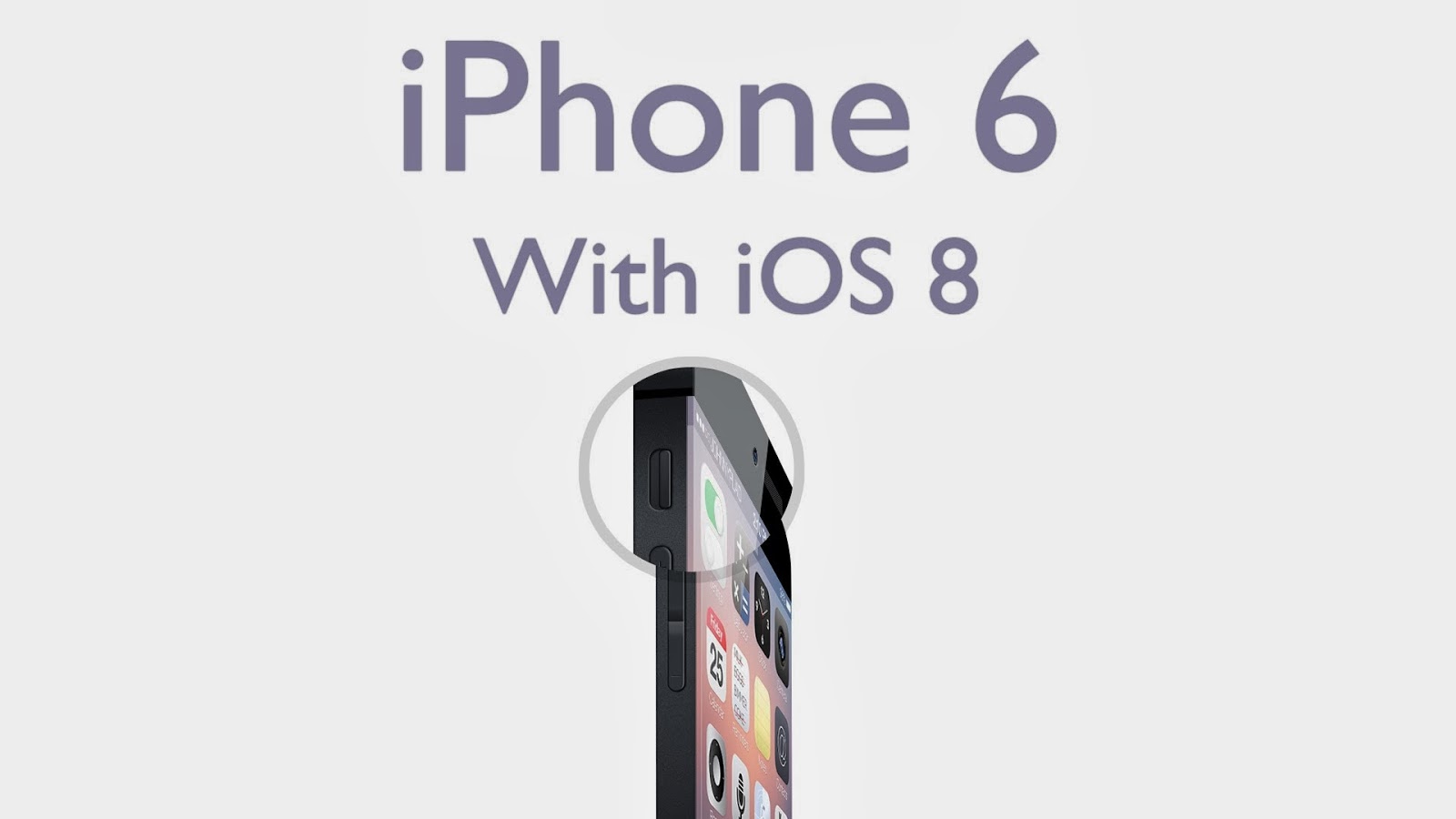
iPhone 6 with iOS 8


iPhone 6 & iOS 8

Rumors spread its details faster then anything, here we have 9to5 MAC insider with its reliable information about the release of iOS 8. Apple's next big release would be its iOS 8 with new enhancement and features specially iOS Maps software.

iOS 8


iOS 8


Apple says that apple maps are still not covered as wide as it should be, lacking somewhere in terms of accuracy. So new iOS 8 will feature better data and transit guide.

iOS 8 infinity


iOS 8 infinity

We can expect apple to release iOS 8 around annual WWDC conference this summer. iOS 8 might come along with the launch of new iPhone 6. But as its just a rumor, lets make assumptions that apple will bring the best of what it can.

iOS 8 – Release Dates, Details and Rumor Roundup

New iOS 8

Last monday Apple released its OS version iOS 7.1 to public and now its time for iOS 8. Lets move on to check out the insider story for iOS 8 and other details.

iPhone 6 with iOS 8


iPhone 6 & iOS 8

Rumors spread its details faster then anything, here we have 9to5 MAC insider with its reliable information about the release of iOS 8. Apple's next big release would be its iOS 8 with new enhancement and features specially iOS Maps software.

iOS 8


iOS 8


Apple says that apple maps are still not covered as wide as it should be, lacking somewhere in terms of accuracy. So new iOS 8 will feature better data and transit guide.

iOS 8 infinity


iOS 8 infinity

We can expect apple to release iOS 8 around annual WWDC conference this summer. iOS 8 might come along with the launch of new iPhone 6. But as its just a rumor, lets make assumptions that apple will bring the best of what it can.

Thursday, 27 February 2014

Google Hangout 2.0


A cross-platform messaging service that allows you to send and receive text, photo and video messages. You can also create group and video conferences, called as ‘hangouts.’

iOS users – get ready for the new App Hangout by Google in your phones and tablets. Google updated its Hangout on iOS platform with its new updated features for iPad, iOS 7 and more.

The Complete Redesign with new look and feel for iOS users on their phones and iPad, with new features added to it.

Google Hangouts 2.0 for iOS

Picture-in-Picture video calling with full optimization for iPad


Picture-in-Picture Video Calling

New Animated Stickers like emoticons that allows you to express and share what you feel


Animated Stickers in Hangout 2.0

Users can send 10 seconds long video to their friends when they are offline


Hangout 2.0 Video Messaging


Users can send their current location map to their friends


Current Location Map in Hangouts 2.0


Optimized for iOS 7.

Now iPad users and iOS users can enjoy new updated, redesigned Google Hangouts 2.0, connecting to people.

Google Hangouts 2.0 – Redesign for iOS 7 with iPad Support and Video Messaging

Google Hangout 2.0


A cross-platform messaging service that allows you to send and receive text, photo and video messages. You can also create group and video conferences, called as ‘hangouts.’

iOS users – get ready for the new App Hangout by Google in your phones and tablets. Google updated its Hangout on iOS platform with its new updated features for iPad, iOS 7 and more.

The Complete Redesign with new look and feel for iOS users on their phones and iPad, with new features added to it.

Google Hangouts 2.0 for iOS

Picture-in-Picture video calling with full optimization for iPad


Picture-in-Picture Video Calling

New Animated Stickers like emoticons that allows you to express and share what you feel


Animated Stickers in Hangout 2.0

Users can send 10 seconds long video to their friends when they are offline


Hangout 2.0 Video Messaging


Users can send their current location map to their friends


Current Location Map in Hangouts 2.0


Optimized for iOS 7.

Now iPad users and iOS users can enjoy new updated, redesigned Google Hangouts 2.0, connecting to people.

Monday, 10 February 2014

Secure Lock app

Want to secure your smartphone using each app lock? There are security apps available to lock your app or software in your smartphone by being viewed by others without having pin/password.

How to keep your mobile pics secure with Gallery Lock Pro?


How to remove forgotten PASSCODE unlock For Android?


How to Secure your text messages with secure lock?


How to lock your smartphone?


How to Secure Your Smart Phone?

Secure Lock app

Want to secure your smartphone using each app lock? There are security apps available to lock your app or software in your smartphone by being viewed by others without having pin/password.

How to keep your mobile pics secure with Gallery Lock Pro?


How to remove forgotten PASSCODE unlock For Android?


How to Secure your text messages with secure lock?


How to lock your smartphone?


Wednesday, 6 November 2013

Apple

Imagine you are out and can feel chilled when you reach home, think the lift is already waiting for you, all the lights are ON when you enter your home, a garage door gets opened when you reach the parking zone. 

Apple is Planning to Control Your Home!

Apple

Imagine you are out and can feel chilled when you reach home, think the lift is already waiting for you, all the lights are ON when you enter your home, a garage door gets opened when you reach the parking zone. 
This entry was posted in :

Tuesday, 22 October 2013

Apple iWatch

Imagining smart watch from Apple sounds real interesting and excitement doubles up when you hear about the concept from Apple despite the fact that it is just a concept idea and not the real decision to get into development. 

Apple & Nike Together in iWatch Concept

Apple iWatch

Imagining smart watch from Apple sounds real interesting and excitement doubles up when you hear about the concept from Apple despite the fact that it is just a concept idea and not the real decision to get into development. 
This entry was posted in :

Monday, 14 October 2013

Apple Macbook With Retina Display

Apple device users be ready for the new offer, “A 12-Inch Retina Macbook” amazing news on air for 2014.

Apple: 2014 Rumours Already on Air for 12-inch Retina Macbook

Apple Macbook With Retina Display

Apple device users be ready for the new offer, “A 12-Inch Retina Macbook” amazing news on air for 2014.
This entry was posted in :

Friday, 13 September 2013

iOS 7

Apple introduced the service of iTunes Radio in june and now finally while on last Tuesday’s Apple event they announced to launch the service on September 18 with the release of iOS 7 the new version of an Apple OS. iTunes Radio is touted as “Pandora Killer” a radio app. Apple is very much replicating Pandora's value proposition of music discovery based on learning user preferences.

Apple iTunes Radio & iOS 7 Launching Together on September 18

iOS 7

Apple introduced the service of iTunes Radio in june and now finally while on last Tuesday’s Apple event they announced to launch the service on September 18 with the release of iOS 7 the new version of an Apple OS. iTunes Radio is touted as “Pandora Killer” a radio app. Apple is very much replicating Pandora's value proposition of music discovery based on learning user preferences.
This entry was posted in :