Showing posts with label Android. Show all posts

Friday, 23 December 2022

skills for android developer

If you’re considering a career in Android development, then you’re going to need to make sure you have the right skillset. It’s more than just knowing how to write code; to be successful in the field, you’ll need to be familiar with the different platforms, know how to design intuitive user interfaces, and more. 

If you are considering a career as an Android developer, there are certain skills that you will need to be successful. Not only will you need to have a strong understanding of the Android platform, but you will also need to possess an array of other skills in order to ensure your success. In this blog post, we will discuss the seven essential skills that every Android developer should have. From coding proficiency to problem-solving and communication, these seven skills are invaluable for a successful Android developer.

In this blog post, we’ll discuss the seven essential skills every Android developer needs in order to excel in the field. With these skills in your toolkit, you’ll be ready to start building the most innovative Android apps on the market.

Here are The 7 Essential Skills for Android Developer

1) Java

Java is an essential skill for Android developers. It is the foundation of the Android platform and the most popular language used to develop Android apps. Java enables developers to create robust, secure, and high-performance applications on the Android platform.

Java is a versatile and powerful programming language that provides excellent support for object-oriented programming and multi-threading. It also provides excellent platform independence, making it easy to write code that can run on different devices with different operating systems.

2) XML

XML, or eXtensible Markup Language, is a fundamental part of the Android Development environment. XML is an important language to understand if you want to be a successful Android Developer. It is used to define the data in a program, including layout information, resources, and various other components. With XML, developers can create Android apps that work across a variety of different devices. XML is essential for creating dynamic user interfaces and applications.

3) Android SDK

The Android Software Development Kit (SDK) is a crucial component of any successful Android development project. The SDK provides developers with the necessary tools and APIs to build, debug, and optimize their Android applications. It also contains libraries, documentation, and sample code that can be used to create robust and powerful apps.

4) SQLite

SQLite is an open-source relational database management system used by Android developers to store data on mobile devices. It is a lightweight database that is designed for simple applications, and it offers easy access to all data stored in the database. It is self-contained, meaning that it does not require a server or a separate database software to be installed. SQLite can be used to store information such as user accounts, settings, messages, and other application data.

5) Android Studio

Android Studio is an Integrated Development Environment (IDE) for Android development and is the official tool for Android app development. It has a range of features to help with every stage of the Android app development process, from design to testing and debugging. Android Studio provides powerful tools such as an advanced code editor and a built-in emulator for running and debugging apps. It also includes support for Google Play Services, Firebase, and other popular libraries.

6) Git

Git is an essential skill for Android developers as it enables them to collaborate with other developers, store their code in a central repository, and track changes to the codebase. Git allows developers to track the changes they make and easily revert back to older versions of the code if necessary. Developers can also branch the code, so that multiple versions of the same project can be developed at once. Knowing how to use Git will allow Android developers to efficiently collaborate and manage their projects.

7) Material Design

Material Design is a visual language developed by Google for designing Android apps. It combines the classic principles of good design with the technology of today. Material Design was created with the goal of creating a unified user experience across all platforms, from mobile to desktop and beyond.

Material Design's guiding principles include simplicity, usability, flexibility, and adaptability. The components of Material Design are divided into two categories: layouts and components. Layouts consist of rows, columns, grids, and frames that are used to structure the user interface. Components are elements such as text fields, buttons, images, sliders, and tabs that give users access to various features of an application. 

Conclusion

Android development is an ever-evolving field. As technology advances, so must the skills of Android developers. The skills mentioned in this post are just a few of the ones needed to be a successful Android developer. They provide a strong foundation on which to build additional experience and knowledge. Companies looking to hire dedicated Android developers should be sure to look for individuals who possess these essential skills. With the right people, any Android development project can be a success.

Read Also:

Why Flutter is Ideal for Mobile App Development

Best Practices for Android App Development
BENEFITS OF HIRING MOBILE APP DEVELOPERS

How to choose an Ideal Mobile App Development Company

The 7 Essential Skills Every Android Developer Needs

skills for android developer

If you’re considering a career in Android development, then you’re going to need to make sure you have the right skillset. It’s more than just knowing how to write code; to be successful in the field, you’ll need to be familiar with the different platforms, know how to design intuitive user interfaces, and more. 

If you are considering a career as an Android developer, there are certain skills that you will need to be successful. Not only will you need to have a strong understanding of the Android platform, but you will also need to possess an array of other skills in order to ensure your success. In this blog post, we will discuss the seven essential skills that every Android developer should have. From coding proficiency to problem-solving and communication, these seven skills are invaluable for a successful Android developer.

In this blog post, we’ll discuss the seven essential skills every Android developer needs in order to excel in the field. With these skills in your toolkit, you’ll be ready to start building the most innovative Android apps on the market.

Here are The 7 Essential Skills for Android Developer

1) Java

Java is an essential skill for Android developers. It is the foundation of the Android platform and the most popular language used to develop Android apps. Java enables developers to create robust, secure, and high-performance applications on the Android platform.

Java is a versatile and powerful programming language that provides excellent support for object-oriented programming and multi-threading. It also provides excellent platform independence, making it easy to write code that can run on different devices with different operating systems.

2) XML

XML, or eXtensible Markup Language, is a fundamental part of the Android Development environment. XML is an important language to understand if you want to be a successful Android Developer. It is used to define the data in a program, including layout information, resources, and various other components. With XML, developers can create Android apps that work across a variety of different devices. XML is essential for creating dynamic user interfaces and applications.

3) Android SDK

The Android Software Development Kit (SDK) is a crucial component of any successful Android development project. The SDK provides developers with the necessary tools and APIs to build, debug, and optimize their Android applications. It also contains libraries, documentation, and sample code that can be used to create robust and powerful apps.

4) SQLite

SQLite is an open-source relational database management system used by Android developers to store data on mobile devices. It is a lightweight database that is designed for simple applications, and it offers easy access to all data stored in the database. It is self-contained, meaning that it does not require a server or a separate database software to be installed. SQLite can be used to store information such as user accounts, settings, messages, and other application data.

5) Android Studio

Android Studio is an Integrated Development Environment (IDE) for Android development and is the official tool for Android app development. It has a range of features to help with every stage of the Android app development process, from design to testing and debugging. Android Studio provides powerful tools such as an advanced code editor and a built-in emulator for running and debugging apps. It also includes support for Google Play Services, Firebase, and other popular libraries.

6) Git

Git is an essential skill for Android developers as it enables them to collaborate with other developers, store their code in a central repository, and track changes to the codebase. Git allows developers to track the changes they make and easily revert back to older versions of the code if necessary. Developers can also branch the code, so that multiple versions of the same project can be developed at once. Knowing how to use Git will allow Android developers to efficiently collaborate and manage their projects.

7) Material Design

Material Design is a visual language developed by Google for designing Android apps. It combines the classic principles of good design with the technology of today. Material Design was created with the goal of creating a unified user experience across all platforms, from mobile to desktop and beyond.

Material Design's guiding principles include simplicity, usability, flexibility, and adaptability. The components of Material Design are divided into two categories: layouts and components. Layouts consist of rows, columns, grids, and frames that are used to structure the user interface. Components are elements such as text fields, buttons, images, sliders, and tabs that give users access to various features of an application. 

Conclusion

Android development is an ever-evolving field. As technology advances, so must the skills of Android developers. The skills mentioned in this post are just a few of the ones needed to be a successful Android developer. They provide a strong foundation on which to build additional experience and knowledge. Companies looking to hire dedicated Android developers should be sure to look for individuals who possess these essential skills. With the right people, any Android development project can be a success.

Read Also:

Why Flutter is Ideal for Mobile App Development

Best Practices for Android App Development
BENEFITS OF HIRING MOBILE APP DEVELOPERS

How to choose an Ideal Mobile App Development Company

This entry was posted in :

Friday, 29 May 2020


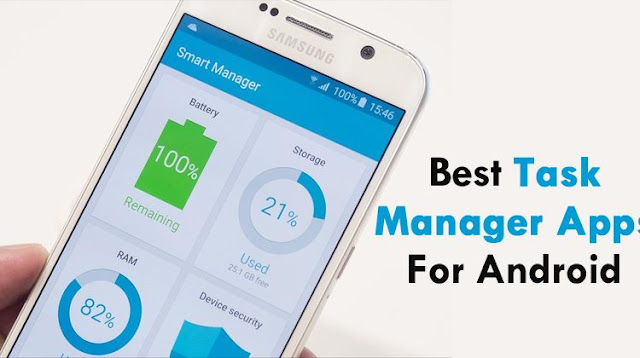
Task Management Android Applications


In this busy schedule, you come across with many things and several   ideas immediately strike your mind. In this busy lifestyle, many times you miss to follow up on that idea or sometimes even you miss the most important task of your work. 

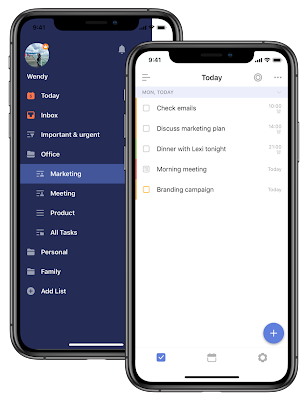
However, to prioritize your daily life challenges, you can maintain your to do list on your Android devices. There are several apps, which helps to manage your time and help you to complete your tasks. 

In this blog, we have shortlisted a few Android apps for you that will help you to increase your productivity. These apps mentioned below are easy to use and integrated with advanced functionalities which help you meet with your daily routine activities. 

If you are planning to launch a listing type app with additional features, to improve the productivity of your team then partner with an Android app development company

Task Management Applications for your Android based Smartphones 


TickTick


Tick Tick is popular as an Android task management application across the world. It offers several features to the users to manage their tasks easily. This app is easy to download from the Playstore and based on user friendly attributes. 
  • Users can create checklists to streamline their process
  • They can upload the particular attachment of the individual tasks.
  • Users can easily set the deadlines, till when they have to complete the tasks. It will help them to submit the project on time without delay.
  • In-built collaboration features, which allows users to share their  tasks with one other and turns the team management process easier.  
  • Premium version turns the app more advanced by offering next level functionalities such as calendar view, alert and reminders set higher limit of the tasks and allows other third party integration tools which helps you  to meet with your business requirements. 


Todoist


This is the widely used Android management app. It is integrated with advanced functionalities, which helps to increase the productivity of your team. Todoist application is used by 25 million users, which allows to organise, plan, and collaborate on several project tasks. Start up, mid, and large all types of enterprises can leverage its benefits. 
  • Helps to send deadlines to the users 
  • This platform can be integrated with third party tools easily such as  mail, Google Calendar, Slack, Amazon Alexa. 
  • Allows to track the performance of the employees. 
  • Remind users for their remaining tasks with due date. 

Google Tasks


Google Task is counted among one of the powerful management applications. It helps you to create the list of tasks faster and quickly than ever before. This is the best app for operating tasks, it helps to plan in an effective way. 
  • Edit details about your tasks 
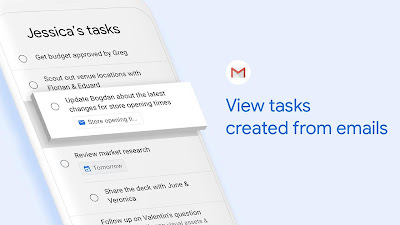
  • Create task directly from the Gmail 
  • Organise task by date

Conclusion 
These are the top management Android apps that every user should know It helps in many ways to streamline processes, as well as boost the project performance. 

Read Also:


Top Task Management Android Applications


Task Management Android Applications


In this busy schedule, you come across with many things and several   ideas immediately strike your mind. In this busy lifestyle, many times you miss to follow up on that idea or sometimes even you miss the most important task of your work. 

However, to prioritize your daily life challenges, you can maintain your to do list on your Android devices. There are several apps, which helps to manage your time and help you to complete your tasks. 

In this blog, we have shortlisted a few Android apps for you that will help you to increase your productivity. These apps mentioned below are easy to use and integrated with advanced functionalities which help you meet with your daily routine activities. 

If you are planning to launch a listing type app with additional features, to improve the productivity of your team then partner with an Android app development company

Task Management Applications for your Android based Smartphones 


TickTick


Tick Tick is popular as an Android task management application across the world. It offers several features to the users to manage their tasks easily. This app is easy to download from the Playstore and based on user friendly attributes. 
  • Users can create checklists to streamline their process
  • They can upload the particular attachment of the individual tasks.
  • Users can easily set the deadlines, till when they have to complete the tasks. It will help them to submit the project on time without delay.
  • In-built collaboration features, which allows users to share their  tasks with one other and turns the team management process easier.  
  • Premium version turns the app more advanced by offering next level functionalities such as calendar view, alert and reminders set higher limit of the tasks and allows other third party integration tools which helps you  to meet with your business requirements. 


Todoist


This is the widely used Android management app. It is integrated with advanced functionalities, which helps to increase the productivity of your team. Todoist application is used by 25 million users, which allows to organise, plan, and collaborate on several project tasks. Start up, mid, and large all types of enterprises can leverage its benefits. 
  • Helps to send deadlines to the users 
  • This platform can be integrated with third party tools easily such as  mail, Google Calendar, Slack, Amazon Alexa. 
  • Allows to track the performance of the employees. 
  • Remind users for their remaining tasks with due date. 

Google Tasks


Google Task is counted among one of the powerful management applications. It helps you to create the list of tasks faster and quickly than ever before. This is the best app for operating tasks, it helps to plan in an effective way. 
  • Edit details about your tasks 
  • Create task directly from the Gmail 
  • Organise task by date

Conclusion 
These are the top management Android apps that every user should know It helps in many ways to streamline processes, as well as boost the project performance. 

Read Also:


Monday, 27 April 2020


Android is the most popular operating system, without mentioning Java the introduction of this language is not complete. Java is the widely used programming language as well as known as the official language of the Android operating system. 

However, it is a versatile programming language and default code development language. But on the other hand, due to the oldest programming language, Android developers have to face several challenges. 

In order to overcome the major challenges, boost the  development process and meet the modern application requirements, an upgraded version in the form of  Kotlin has been introduced in the market. 


Glimpse on Kotlin Android Programming Language


This language is known as the modern platform to develop Android powered innovative mobile applications. In order to leverage all the benefits, partner with a Kotlin development company

Let’s know the advantages of Kotlin programming language

Advantages of Kotlin Programming language- 

Easy to Set up 

For developers to set up Kotlin is easier, as with Android Studio 3.0, they only have to click on the support box, which turns the app development process easier. 

By clicking, developers are able to configure their new project in Android studio. Previously, App developers had to integrate a plugin to add Kotlin programming language in their projects. Presently, now the process has turned easier for the developers. 

Interoperable With Java

The best and major benefit of this programming language that attracts Android developers towards it. This modern language is interoperability with the versatile official programming language. 

Furthermore, kotlin or Java based code can be used by both the platforms. With old Java projects this platform can be introduced easily. Both the Android languages Kotlin and Java generate similar Bytecode.

Even the mixed code Java and Kotlin can also work seamlessly on the Android platform and developers can also change the entire Java based code into Kotlin to leverage the modern benefits. 

Concise language

With Kotlin programming language developers have to use fewers coding lines, which helps them to turn the code more effective and reliable. It also helps to detect the errors in the UX. For developers to read, write and maintain the coding process with this modern programming language has turned easier and faster. 

In order to boost the coding process, Kotlin also offers several features to developers such as data classes, type interface, smart casts, and properties. 

Compiler

This language is introduced with a secure and safer compiler, which helps to detect errors in the compile time and reduce a lot of errors in the run time. 

Conclusion

Kotlin is the modern programming language and it is only the cons of this platform. Apart from this, it offers several benefits and advanced features to the Android developers, which help them to streamline the coding process. 

Read Also:

Why Choose Kotlin for Android app development


Android is the most popular operating system, without mentioning Java the introduction of this language is not complete. Java is the widely used programming language as well as known as the official language of the Android operating system. 

However, it is a versatile programming language and default code development language. But on the other hand, due to the oldest programming language, Android developers have to face several challenges. 

In order to overcome the major challenges, boost the  development process and meet the modern application requirements, an upgraded version in the form of  Kotlin has been introduced in the market. 


Glimpse on Kotlin Android Programming Language


This language is known as the modern platform to develop Android powered innovative mobile applications. In order to leverage all the benefits, partner with a Kotlin development company

Let’s know the advantages of Kotlin programming language

Advantages of Kotlin Programming language- 

Easy to Set up 

For developers to set up Kotlin is easier, as with Android Studio 3.0, they only have to click on the support box, which turns the app development process easier. 

By clicking, developers are able to configure their new project in Android studio. Previously, App developers had to integrate a plugin to add Kotlin programming language in their projects. Presently, now the process has turned easier for the developers. 

Interoperable With Java

The best and major benefit of this programming language that attracts Android developers towards it. This modern language is interoperability with the versatile official programming language. 

Furthermore, kotlin or Java based code can be used by both the platforms. With old Java projects this platform can be introduced easily. Both the Android languages Kotlin and Java generate similar Bytecode.

Even the mixed code Java and Kotlin can also work seamlessly on the Android platform and developers can also change the entire Java based code into Kotlin to leverage the modern benefits. 

Concise language

With Kotlin programming language developers have to use fewers coding lines, which helps them to turn the code more effective and reliable. It also helps to detect the errors in the UX. For developers to read, write and maintain the coding process with this modern programming language has turned easier and faster. 

In order to boost the coding process, Kotlin also offers several features to developers such as data classes, type interface, smart casts, and properties. 

Compiler

This language is introduced with a secure and safer compiler, which helps to detect errors in the compile time and reduce a lot of errors in the run time. 

Conclusion

Kotlin is the modern programming language and it is only the cons of this platform. Apart from this, it offers several benefits and advanced features to the Android developers, which help them to streamline the coding process. 

Read Also:

Wednesday, 17 December 2014


Elephone P3000 - Pros and Cons

Elephone P3000 Specifications and Price

The Elephone P3000 is powered by a quad-core Cortex-A7 based processor,  5 inch screen , 720p display, and Android 4.4 KitKat. Here check out the full specs:

Elephone P3000 Specifications

Click Here to buy for $156.65


Elephone P3000 – Specifications and Price


Elephone P3000 - Pros and Cons

Elephone P3000 Specifications and Price

The Elephone P3000 is powered by a quad-core Cortex-A7 based processor,  5 inch screen , 720p display, and Android 4.4 KitKat. Here check out the full specs:

Elephone P3000 Specifications

Click Here to buy for $156.65


This entry was posted in :

Friday, 12 December 2014

How to Share Files Between Android and Windows Phone With Feem 

What if you have some amazing files on your Android phone and you want to send it in your friend's windows phone. And you don't know how to do it. Here is the quick tutorial to share files between Android and Windows phone..

How to Share Files Between Android and Windows Phone With Feem

How to Share Files Between Android and Windows Phone With Feem 

What if you have some amazing files on your Android phone and you want to send it in your friend's windows phone. And you don't know how to do it. Here is the quick tutorial to share files between Android and Windows phone..
This entry was posted in :

Tuesday, 9 December 2014

Announcement of HTC Desire 620

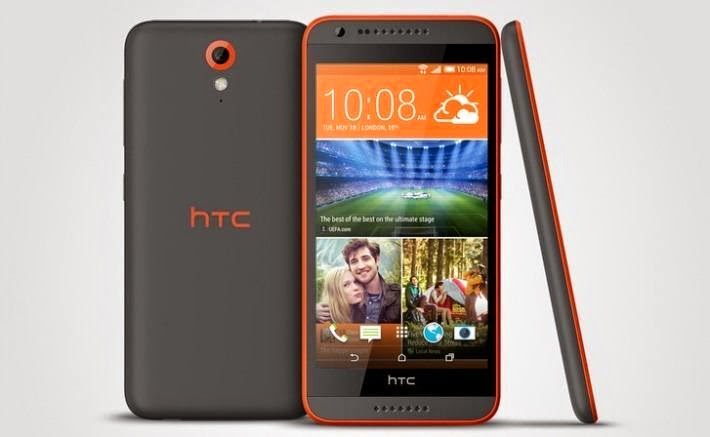
HTC has just announced the new Android Desire 620. As per the latest news, the Android 620 will offer an low-budget price tag, cool specifications and solid build quality. HTC has been broadly successful with the Desire series.

HTC Desire 620

The Desire 620 would come with a 5-inch 720 display, 1.2 Ghz Snapdragon, 410 quad-core processor, 1 GB RAM, 8MP rear camera and 5MP front-facing camera, 2100 mAh battery life, 8GB internal storage and up to 128 GB card slot. It will be come with Android 4.4 KitKat. Additionally, It comes with many color options.

HTC Desire 620

First of all, It will be available in the UK. There is no information yet to be announced. It is expected to see a release from HTC in the upcoming weeks, with details of releasing date, price and carrier availability. The majority of specifications are same as 2nd generation of Motorola G. So, It would be a great competitor of Motorola's budget offerings.

HTC Announces The Desire 620 for Early 2015

Announcement of HTC Desire 620

HTC has just announced the new Android Desire 620. As per the latest news, the Android 620 will offer an low-budget price tag, cool specifications and solid build quality. HTC has been broadly successful with the Desire series.

HTC Desire 620

The Desire 620 would come with a 5-inch 720 display, 1.2 Ghz Snapdragon, 410 quad-core processor, 1 GB RAM, 8MP rear camera and 5MP front-facing camera, 2100 mAh battery life, 8GB internal storage and up to 128 GB card slot. It will be come with Android 4.4 KitKat. Additionally, It comes with many color options.

HTC Desire 620

First of all, It will be available in the UK. There is no information yet to be announced. It is expected to see a release from HTC in the upcoming weeks, with details of releasing date, price and carrier availability. The majority of specifications are same as 2nd generation of Motorola G. So, It would be a great competitor of Motorola's budget offerings.
This entry was posted in :

Thursday, 4 December 2014

The Witcher Adventure Game is a digitized version of board game made by CD Projekt Red.

The multiplayer game is now available to download from Google Play Store. The new Android game allows users to select any one hero out of four who wonder the land, battling monsters and gaining glory. Each hero has a unique way of overcoming obstacles by using combat, magic, charm, or diplomacy.


The game also features 200 cards, online multiplayer, hot seat, or human vs. AI play, and leaderboard ranking.

The Witcher Adventure Game Now Available on Android

The Witcher Adventure Game is a digitized version of board game made by CD Projekt Red.

The multiplayer game is now available to download from Google Play Store. The new Android game allows users to select any one hero out of four who wonder the land, battling monsters and gaining glory. Each hero has a unique way of overcoming obstacles by using combat, magic, charm, or diplomacy.


The game also features 200 cards, online multiplayer, hot seat, or human vs. AI play, and leaderboard ranking.
This entry was posted in :

Thursday, 27 November 2014

Kid Mode App

Now its easy and safe to hand your Android Phone to your child with kid mode. Kid Mode is a great app made by Zoodles that not only adds some great parental controls to almost any newer Android phone, it also lets them draw, learn, and be creative. You can give your Android Phone to your child without disturbing your personal stuff and other important things.

Download here


Zoodles

How to set up Kid Mode on your Android phone

  1. Install the Kid Mode app on your Android phone and tap on the Get Started! button.
  2. Mention the year you were born to Verify as this is one way you can disable Kid Mode on your Android phone.
  3. Go through the child setup process and add all the children that will have access to your Android phone and then tap Done when you've added them all.
  4. Now add the apps in the next step you'd like your child to have access to aside from what the Kid Mode app itself offers.
  5. Modify any other settings you'd like for your child such as removing certain sites Kid Mode has preinstalled or setting up times and limits.
How to enable and disable Kid Mode

  1. Launch the Kid Mode app once you've set it up and added your children.
  2. Tap on the child's picture and hand your device over. Kid Mode is enabled.
  3. When you're ready to disable Kid Mode, just return the main screen and tap the X in the upper right hand corner.
  4. Enter your passcode when prompted and then continue using your phone like normal.
Want such high featured Kid Mode apps for Android Phone. Get it implemented with a great project plan. Visit here.

How to make your Android phone child-friendly

Kid Mode App

Now its easy and safe to hand your Android Phone to your child with kid mode. Kid Mode is a great app made by Zoodles that not only adds some great parental controls to almost any newer Android phone, it also lets them draw, learn, and be creative. You can give your Android Phone to your child without disturbing your personal stuff and other important things.

Download here


Zoodles

How to set up Kid Mode on your Android phone

  1. Install the Kid Mode app on your Android phone and tap on the Get Started! button.
  2. Mention the year you were born to Verify as this is one way you can disable Kid Mode on your Android phone.
  3. Go through the child setup process and add all the children that will have access to your Android phone and then tap Done when you've added them all.
  4. Now add the apps in the next step you'd like your child to have access to aside from what the Kid Mode app itself offers.
  5. Modify any other settings you'd like for your child such as removing certain sites Kid Mode has preinstalled or setting up times and limits.
How to enable and disable Kid Mode

  1. Launch the Kid Mode app once you've set it up and added your children.
  2. Tap on the child's picture and hand your device over. Kid Mode is enabled.
  3. When you're ready to disable Kid Mode, just return the main screen and tap the X in the upper right hand corner.
  4. Enter your passcode when prompted and then continue using your phone like normal.
Want such high featured Kid Mode apps for Android Phone. Get it implemented with a great project plan. Visit here.

This entry was posted in :
Happy Thanksgiving Day

Thanksgiving time is here. Get into the mood of this day and there are lots of ideas and apps that will make your day filled with fun. Here we have brought some good collection of Android apps for Thanksgiving.

Thanksgiving Apps for Android

1) Thanksgiving Turkey Calls:-


Make Turkey calls with your phone! Use them when hunting, for some Thanksgiving fun, or just to annoy your friends and family! Over ten real and unique turkey calls, along with a detailed description of when a turkey would make the noise. Entertaining and educational! So don't just eat your turkey this Thanksgiving.

Download here

2) Thanksgiving Turkey Gobble!:-


Thanksgiving Turkey Gobble!

The Turkey is a much more respectable Bird and a true original Native of North America" (Benjamin Franklin) Of all the Thanksgiving symbols the Turkey has become the most well known! Celebrate Thanksgiving with this Thanksgiving Turkey Soundboard!You can play multiple different Turkey Sounds simultaneously!

Download here

3) Thanksgiving Matching:-


Thanksgiving Matching

A matching game with a Thanksgiving Theme.

Download here

4) Thanksgiving facts & Jokes:-


Thanksgiving facts & Jokes

Various Facts and Jokes from Thanksgiving.

Download here

Hope you love this thanksgiving apps. Get your Android App created on thanksgiving week. Visit here

HAPPY THANKSGIVING DAY 

ThanksGiving Apps for Android

Happy Thanksgiving Day

Thanksgiving time is here. Get into the mood of this day and there are lots of ideas and apps that will make your day filled with fun. Here we have brought some good collection of Android apps for Thanksgiving.

Thanksgiving Apps for Android

1) Thanksgiving Turkey Calls:-


Make Turkey calls with your phone! Use them when hunting, for some Thanksgiving fun, or just to annoy your friends and family! Over ten real and unique turkey calls, along with a detailed description of when a turkey would make the noise. Entertaining and educational! So don't just eat your turkey this Thanksgiving.

Download here

2) Thanksgiving Turkey Gobble!:-


Thanksgiving Turkey Gobble!

The Turkey is a much more respectable Bird and a true original Native of North America" (Benjamin Franklin) Of all the Thanksgiving symbols the Turkey has become the most well known! Celebrate Thanksgiving with this Thanksgiving Turkey Soundboard!You can play multiple different Turkey Sounds simultaneously!

Download here

3) Thanksgiving Matching:-


Thanksgiving Matching

A matching game with a Thanksgiving Theme.

Download here

4) Thanksgiving facts & Jokes:-


Thanksgiving facts & Jokes

Various Facts and Jokes from Thanksgiving.

Download here

Hope you love this thanksgiving apps. Get your Android App created on thanksgiving week. Visit here

HAPPY THANKSGIVING DAY 

This entry was posted in :

Tuesday, 25 November 2014

iOS Vs Android

No one can beat these two. They are like best rivals. Apple’s iOS or Google’s Android? Consumers are split: Apple have the single largest market share, Google have numerous manufacturers on their side; iOS dominates North America, Android wins out in Europe. Check out infographic on iOS Vs Android on Mobile Advertising.

Infographic on iOS Vs Android on Mobile Advertising


Infographic on Mobile Advertising


Visit here Android/iOS for app creates Infographic 

Infographic on iOS Vs Android on Mobile Advertising

iOS Vs Android

No one can beat these two. They are like best rivals. Apple’s iOS or Google’s Android? Consumers are split: Apple have the single largest market share, Google have numerous manufacturers on their side; iOS dominates North America, Android wins out in Europe. Check out infographic on iOS Vs Android on Mobile Advertising.

Infographic on iOS Vs Android on Mobile Advertising


Infographic on Mobile Advertising


Visit here Android/iOS for app creates Infographic 

This entry was posted in :

Saturday, 22 November 2014

Android KitKat Wallpapers

Here are some cool Android 4.4 Kitkat Wallpapers for you to Download. Check out the wallpapers and I am sure your eyes will get stuck seeing this amazing wallpapers. We have collected some great wallpapers from around the web.

Free Download Android KitKat Wallpapers

1) Best time:-


Best Time

Download here

2) New Year night:-


New Year Night

Download here

3) Christmas Decorations:-


Christmas Decorations

Download here

4) Apple:-


Apple

Download here

5) Beautiful SnowFlakes:-


Beautiful Snowflakes

Download here

Download them in your Android KitKat 4.4 and have a enjoy these in your display screen. If you want to make a wallpaper app in Android with such beautiful collection then visit here.

Free Download Android Kitkat Wallpapers

Android KitKat Wallpapers

Here are some cool Android 4.4 Kitkat Wallpapers for you to Download. Check out the wallpapers and I am sure your eyes will get stuck seeing this amazing wallpapers. We have collected some great wallpapers from around the web.

Free Download Android KitKat Wallpapers

1) Best time:-


Best Time

Download here

2) New Year night:-


New Year Night

Download here

3) Christmas Decorations:-


Christmas Decorations

Download here

4) Apple:-


Apple

Download here

5) Beautiful SnowFlakes:-


Beautiful Snowflakes

Download here

Download them in your Android KitKat 4.4 and have a enjoy these in your display screen. If you want to make a wallpaper app in Android with such beautiful collection then visit here.

This entry was posted in :

Tuesday, 18 November 2014

Android Apps

Tell your friends about your apps which they might not have. Make your iPhone friends jealous showing them these apps. Here is a list of 10 apps that will make your crazy go use those apps. Check out below:-

10 Android Apps that you will simply love it

1) Muzei Live Wallpaper:-


Muzei Android App

Muzei is a live wallpaper app that gently refreshes your home screen each day with famous works of art. You can choose your favorite photos from your own gallery or other apps to use on your home screen. Simply double touch the wallpaper or open the Muzei app to enjoy and explore the artwork in its full glory. Muzei will rotate through your favorite photos every few hours.

Download here

2) HoverChat Free (Ninja SMS):- 


HoverChat Free Android App

HoverChat is an app where you can answer an incoming messages without ever leaving your screen. Are you tired of switching between windows or pause videos, then HoverChat enables true multitasking by allowing you to read and reply messages.

Download here

3) Google Keep - notes and lists:-


Google Keep Android App

Google Keep app quickly capture what’s on your mind and be reminded at the right place or time. Speak a voice memo on the go and have it automatically transcribed. Grab a photo of a poster, receipt or document and easily find it later in search. Capture what’s on your mind.

Download here

4) Cover Lock Screen (beta):-


Cover Lock Screen Android App

Cover Lock screen app gives you fast access to the right apps at the right time. Cover learns which apps you use in different contexts and puts them right on your lockscreen for easy access. Automatically see different apps at home, in the car, at work, and when you’re out.

Download here

5) Light Flow Lite - LED Control:-


Light Flow Lite Android App

Light Flow Lite allows you to take control of your notification LED (if available on your phone) - even including cycling automatically through all the colors of outstanding notifications.

Download here

6) Cerberus anti theft:-


Cerberus Anti theft Android App

Cerberus app is a complete anti-theft app, the best protection you can get to recover your misplaced, lost or stolen Android device. There is a free trial for one-week.

Price 2.99€

Download here

7) Lux Auto Brightness:-


Lux Auto brightness Android App

Lux app automatically adjusts the brightness of your display based on the environment you are in. If you step into a dimly lit room, Lux will automatically lower the brightness of your display to make it not only comfortable to read, but to also preserve battery power.

Price $3.80

Download here

8) Locale:-


Locale Android App

Locale app has advanced artificial intelligence that manages settings automatically. For example: arrive at work and instantly your ringer silences, your wallpaper snaps to that scenic Caribbean photo, and Wi-Fi switches on. With Locale, never worry about your ringer going off accidentally again.

Price: $9.99

Download here

9) MightyText:-


MightyText Android App

Now you can SMS from your PC, tablet or Mac. Texting done easy now. Also one of best among 50 android apps.

Download here

10) Ultimate custom widget (UCCW):-


UCCW Android App

UCCW app lets you customize widgets on homescreen. UCCW, or Ultimate Custom Widget, is a widget that lets you place custom clocks, battery meters, weather info, and just about anything else right on your homescreen. There is a sheer number of skins available on Google Play and shared in various forums, and more skins are being added all the time.

Download here

Hope you will love this apps. Want to make one of your own? Have an idea? Come an talk to us and we will implement it for you. Visit here.

10 Android Apps That Makes You Android Addict

Android Apps

Tell your friends about your apps which they might not have. Make your iPhone friends jealous showing them these apps. Here is a list of 10 apps that will make your crazy go use those apps. Check out below:-

10 Android Apps that you will simply love it

1) Muzei Live Wallpaper:-


Muzei Android App

Muzei is a live wallpaper app that gently refreshes your home screen each day with famous works of art. You can choose your favorite photos from your own gallery or other apps to use on your home screen. Simply double touch the wallpaper or open the Muzei app to enjoy and explore the artwork in its full glory. Muzei will rotate through your favorite photos every few hours.

Download here

2) HoverChat Free (Ninja SMS):- 


HoverChat Free Android App

HoverChat is an app where you can answer an incoming messages without ever leaving your screen. Are you tired of switching between windows or pause videos, then HoverChat enables true multitasking by allowing you to read and reply messages.

Download here

3) Google Keep - notes and lists:-


Google Keep Android App

Google Keep app quickly capture what’s on your mind and be reminded at the right place or time. Speak a voice memo on the go and have it automatically transcribed. Grab a photo of a poster, receipt or document and easily find it later in search. Capture what’s on your mind.

Download here

4) Cover Lock Screen (beta):-


Cover Lock Screen Android App

Cover Lock screen app gives you fast access to the right apps at the right time. Cover learns which apps you use in different contexts and puts them right on your lockscreen for easy access. Automatically see different apps at home, in the car, at work, and when you’re out.

Download here

5) Light Flow Lite - LED Control:-


Light Flow Lite Android App

Light Flow Lite allows you to take control of your notification LED (if available on your phone) - even including cycling automatically through all the colors of outstanding notifications.

Download here

6) Cerberus anti theft:-


Cerberus Anti theft Android App

Cerberus app is a complete anti-theft app, the best protection you can get to recover your misplaced, lost or stolen Android device. There is a free trial for one-week.

Price 2.99€

Download here

7) Lux Auto Brightness:-


Lux Auto brightness Android App

Lux app automatically adjusts the brightness of your display based on the environment you are in. If you step into a dimly lit room, Lux will automatically lower the brightness of your display to make it not only comfortable to read, but to also preserve battery power.

Price $3.80

Download here

8) Locale:-


Locale Android App

Locale app has advanced artificial intelligence that manages settings automatically. For example: arrive at work and instantly your ringer silences, your wallpaper snaps to that scenic Caribbean photo, and Wi-Fi switches on. With Locale, never worry about your ringer going off accidentally again.

Price: $9.99

Download here

9) MightyText:-


MightyText Android App

Now you can SMS from your PC, tablet or Mac. Texting done easy now. Also one of best among 50 android apps.

Download here

10) Ultimate custom widget (UCCW):-


UCCW Android App

UCCW app lets you customize widgets on homescreen. UCCW, or Ultimate Custom Widget, is a widget that lets you place custom clocks, battery meters, weather info, and just about anything else right on your homescreen. There is a sheer number of skins available on Google Play and shared in various forums, and more skins are being added all the time.

Download here

Hope you will love this apps. Want to make one of your own? Have an idea? Come an talk to us and we will implement it for you. Visit here.

This entry was posted in :

Monday, 17 November 2014

Android Lollipop 5.0

There is always a passcode or pattern lock on your device to secure your Android smart-Phone. There is a new feature in Android 5.0 Lollipop looks to make things a little easier. When a trusted Bluetooth device or an NFC tag is in range of your phone, the security lock will be disabled.

To set this feature up you must first sync your phone or tablet with a Bluetooth device; this can be a smartwatch, a speaker or even a car. A Smart Lock notification will appear on your phone or tablet once the two devices have been paired. Tap where it says "Add as a trusted device," click on the Plus icon, select whether it is a Bluetooth or NFC device and choose the device you would like to use.

Set up smart-lock on your Android Lollipop

This menu can also be accessed by also going to Settings → select Security → , followed by Smart Lock and Trusted Devices. The Smart Lock option will only be available if a security lock, such as a pattern or a passcode, is enabled on your device.

Your passcode or pattern will no longer be required the next time you turn off your display, as long as the trusted device is in range of your smartphone or tablet.


Secure Android app development - Click here

How to Set up Smart Lock on Android 5.0 Lollipop?

Android Lollipop 5.0

There is always a passcode or pattern lock on your device to secure your Android smart-Phone. There is a new feature in Android 5.0 Lollipop looks to make things a little easier. When a trusted Bluetooth device or an NFC tag is in range of your phone, the security lock will be disabled.

To set this feature up you must first sync your phone or tablet with a Bluetooth device; this can be a smartwatch, a speaker or even a car. A Smart Lock notification will appear on your phone or tablet once the two devices have been paired. Tap where it says "Add as a trusted device," click on the Plus icon, select whether it is a Bluetooth or NFC device and choose the device you would like to use.

Set up smart-lock on your Android Lollipop

This menu can also be accessed by also going to Settings → select Security → , followed by Smart Lock and Trusted Devices. The Smart Lock option will only be available if a security lock, such as a pattern or a passcode, is enabled on your device.

Your passcode or pattern will no longer be required the next time you turn off your display, as long as the trusted device is in range of your smartphone or tablet.


Secure Android app development - Click here

This entry was posted in :
Encrypt Android Lollipop

Android devices that comes directly from factory are encrypted by default, but the devices which just got an Android Lollipop update, what about them? So for them there are some process to follow and encrypt your device.

All Lollipop devices will come from the factory with device encryption enabled by default. Device encryption is enabled only on brand new piece of Android. So when you update an existing device with revised version of OS eg: Nexus 5 or any other Android device then there are two options to encrypt your device.


The most likely method to enable encryption on a freshly updated device is to manually enable it through the Security menu. For most devices, this can be found by launching the Settings app then tapping Security.


As you can see in the screenshot above, the Nexus 5 I have (which was recently updated) is not encrypted. By tapping on Encrypt phone you'll be walked through the process for securing your data.

Keep your device connected to a charger as entire process takes an hour to complete. A Nexus 5 with no apps or services setup currently shows it'll take over two hours to complete encryption.

The second option to encrypt a newly updated Lollipop device is to factory reset it. Yes, that means completely wiping all of your data from the device and setting it up as brand new. During the factory reset process the device will encrypt itself, making your data harder to access. A factory reset can be done by launching Settings, tapping on Backup & Reset, followed by Factory Reset.

Even if you aren't on Android 5.0 Lollipop, I suggest encrypting your device anyways.

Security App for Android - Visit here for App Development

How to Encrypt an Android 5.0 Lollipop Device?

Encrypt Android Lollipop

Android devices that comes directly from factory are encrypted by default, but the devices which just got an Android Lollipop update, what about them? So for them there are some process to follow and encrypt your device.

All Lollipop devices will come from the factory with device encryption enabled by default. Device encryption is enabled only on brand new piece of Android. So when you update an existing device with revised version of OS eg: Nexus 5 or any other Android device then there are two options to encrypt your device.


The most likely method to enable encryption on a freshly updated device is to manually enable it through the Security menu. For most devices, this can be found by launching the Settings app then tapping Security.


As you can see in the screenshot above, the Nexus 5 I have (which was recently updated) is not encrypted. By tapping on Encrypt phone you'll be walked through the process for securing your data.

Keep your device connected to a charger as entire process takes an hour to complete. A Nexus 5 with no apps or services setup currently shows it'll take over two hours to complete encryption.

The second option to encrypt a newly updated Lollipop device is to factory reset it. Yes, that means completely wiping all of your data from the device and setting it up as brand new. During the factory reset process the device will encrypt itself, making your data harder to access. A factory reset can be done by launching Settings, tapping on Backup & Reset, followed by Factory Reset.

Even if you aren't on Android 5.0 Lollipop, I suggest encrypting your device anyways.

Security App for Android - Visit here for App Development

This entry was posted in :

Friday, 14 November 2014

Antivirus Apps


Android is very popular OS and it has capture a huge market around the world. But there is so much of risk out there to just use your android smart-phone without security. Security or antivirus apps are required to secure your data from theft, loss or hacked or virus. Antivirus apps helps you in ceasing viruses to enter your phone and destroy your data. Security apps will keep you from becoming a target and will give you valuable tools that just make owning an Android better. Check out the Antivirus apps for Android.


Visit here for Antivirus App making.

Antivirus Apps for Android

1) Avast:-


Avast App

Avast Antivirus apps provides with with extensive anti-theft tools, more remote SMS commands than anyone else, and top-tier malware protection. While its lock screen is not as secure as I'd like, the price plus the sheer number of features make it an easy choice for those who want great protection without breaking the bank.

Free Download here

2) Bitdefender:-


Bitdefender android app

Bitdefender's mobile security app is a pragmatic product, with a reasonable annual cost and carefully pruned list of features. It uses a unique cloud-based scanning system, and can scan your entire phone in about ten seconds. While it also scans each app upon download, it can't perform scans without an Internet connection. A recent update added support for Bitdefender's Clueful app reputation service.

Price $9.95 per year

Download here

3) Lookout:-


Lookout Android app

Lookout app has a good user design. They also have great detection scores, and are very responsive—sometimes updating their app to address new Android threats before Google has the chance to close a vulnerability.

Price $29.99 per year

Download here

4) Kaspersky:-


Kaspersky Android app

Kaspersky app provides the full slate of anti-theft tools, new privacy settings, top-rated malware protection, and some unique features that allow you to keep some information hidden on your device. I particularly liked the app's secure lockscreen, and the ability to perform either a full system restore or to simply remove personal data.

Price $14.95

Download here

5) Trend Micro:-


Trend Micro Android App

Trend Micro app has good malware scores, anti-theft features, SMS/call blocking, and some parental controls among others. Interestingly, when wiping the device you select how much to remove from the phone but trigger the wipe remotely. However, it lacked a spy cam feature and its lock screen left me concerned.

Price $29.99 per year

Download here

These Antivirus apps are the best and most important to secure your android smart phone. Download them to protect your phone from malware attack.

Antivirus Apps for Android

Antivirus Apps


Android is very popular OS and it has capture a huge market around the world. But there is so much of risk out there to just use your android smart-phone without security. Security or antivirus apps are required to secure your data from theft, loss or hacked or virus. Antivirus apps helps you in ceasing viruses to enter your phone and destroy your data. Security apps will keep you from becoming a target and will give you valuable tools that just make owning an Android better. Check out the Antivirus apps for Android.


Visit here for Antivirus App making.

Antivirus Apps for Android

1) Avast:-


Avast App

Avast Antivirus apps provides with with extensive anti-theft tools, more remote SMS commands than anyone else, and top-tier malware protection. While its lock screen is not as secure as I'd like, the price plus the sheer number of features make it an easy choice for those who want great protection without breaking the bank.

Free Download here

2) Bitdefender:-


Bitdefender android app

Bitdefender's mobile security app is a pragmatic product, with a reasonable annual cost and carefully pruned list of features. It uses a unique cloud-based scanning system, and can scan your entire phone in about ten seconds. While it also scans each app upon download, it can't perform scans without an Internet connection. A recent update added support for Bitdefender's Clueful app reputation service.

Price $9.95 per year

Download here

3) Lookout:-


Lookout Android app

Lookout app has a good user design. They also have great detection scores, and are very responsive—sometimes updating their app to address new Android threats before Google has the chance to close a vulnerability.

Price $29.99 per year

Download here

4) Kaspersky:-


Kaspersky Android app

Kaspersky app provides the full slate of anti-theft tools, new privacy settings, top-rated malware protection, and some unique features that allow you to keep some information hidden on your device. I particularly liked the app's secure lockscreen, and the ability to perform either a full system restore or to simply remove personal data.

Price $14.95

Download here

5) Trend Micro:-


Trend Micro Android App

Trend Micro app has good malware scores, anti-theft features, SMS/call blocking, and some parental controls among others. Interestingly, when wiping the device you select how much to remove from the phone but trigger the wipe remotely. However, it lacked a spy cam feature and its lock screen left me concerned.

Price $29.99 per year

Download here

These Antivirus apps are the best and most important to secure your android smart phone. Download them to protect your phone from malware attack.

This entry was posted in :