Showing posts with label Other. Show all posts

Tuesday, 9 December 2014

How to adjust the screen brightness with the Surface Pro 3 Type Cover

Beginners' Tips Series!

Do you have the Type Cover for Surface Pro 3? If you said yes, we have a very quick tip for you. There's no dedicated screen brightness button, but you can still adjust the brightness with a couple of keyboard shortcuts. Simply press Fn + Del or the Fn + Backspace buttons. A screen brightness indicator pops up on the top left corner of the screen. You can play with the slider to continue adjusting the screen brightness.


The Surface Pro Type Cover is available in 5 colors with bright, backlit keys. It functions as a classic laptop keyboard and a screen protector. You can find the Type Cover on Amazon for $129.99.

Of course, you can change the screen brightness directly on the Surface Pro 3. Simply swipe from the right edge of the display, tap Settings, and then Screen. Use the slider to adjust the brightness.

Source

How to adjust the screen brightness with the Surface Pro 3 Type Cover

How to adjust the screen brightness with the Surface Pro 3 Type Cover

Beginners' Tips Series!

Do you have the Type Cover for Surface Pro 3? If you said yes, we have a very quick tip for you. There's no dedicated screen brightness button, but you can still adjust the brightness with a couple of keyboard shortcuts. Simply press Fn + Del or the Fn + Backspace buttons. A screen brightness indicator pops up on the top left corner of the screen. You can play with the slider to continue adjusting the screen brightness.


The Surface Pro Type Cover is available in 5 colors with bright, backlit keys. It functions as a classic laptop keyboard and a screen protector. You can find the Type Cover on Amazon for $129.99.

Of course, you can change the screen brightness directly on the Surface Pro 3. Simply swipe from the right edge of the display, tap Settings, and then Screen. Use the slider to adjust the brightness.

Source

Tuesday, 2 December 2014

Now, It is time to say Good bye all tensions about to take full backup of our mobile. There are lots of important things, including, photos, videos, mails, contact detail and much more.  So, It is very necessary to confirm that the important data on our mobile is protected in the case of theft, damage to our device and data loss. Here, is the permanent solution to take full backup of our mobile. It is called iDrive.

iDrive allows to take a mobile backup like contacts, calendar events, videos, photos and many other things, which support for up to five devices. You can store your back-up information safely and securely in the cloud with 246-bit AES encryption. This iDrive concept works with Android 2.2 and higher version of it.  Additionally, IDrive supports windows and iPhone for those multiple platforms.

iDrive for Mobile Backup

You can access it with only after spending $10. Just Click Here to go ahead. 

Main Features of iDrive :-

  • Cross Platform Compatible
  • Easily View and Access
  • Bullet-Proof Encryption
  • Back up of Social Activity
  • Share your files with your friends on social media

Get Full Mobile Backup for Lifetime through iDrive

Now, It is time to say Good bye all tensions about to take full backup of our mobile. There are lots of important things, including, photos, videos, mails, contact detail and much more.  So, It is very necessary to confirm that the important data on our mobile is protected in the case of theft, damage to our device and data loss. Here, is the permanent solution to take full backup of our mobile. It is called iDrive.

iDrive allows to take a mobile backup like contacts, calendar events, videos, photos and many other things, which support for up to five devices. You can store your back-up information safely and securely in the cloud with 246-bit AES encryption. This iDrive concept works with Android 2.2 and higher version of it.  Additionally, IDrive supports windows and iPhone for those multiple platforms.

iDrive for Mobile Backup

You can access it with only after spending $10. Just Click Here to go ahead. 

Main Features of iDrive :-

  • Cross Platform Compatible
  • Easily View and Access
  • Bullet-Proof Encryption
  • Back up of Social Activity
  • Share your files with your friends on social media
This entry was posted in :

Sunday, 23 November 2014

Fitness Wearables


Fitness wearables are in trend this year and big tech manufacturers like Samsung Microsoft also has there products. It was a huge year for fitness trackers:

But there's good reason for its popularity — in addition to tracking steps taken, calories burned and your sleep cycle, fitness trackers promote healthy living. They're for true fitness enthusiasts, who want to stay on track when working out or training for races and marathons, but also the casual user who just wants a nudge to get off the couch. Check out the 3 Fitness trackers wearables to buy this year.

3 Fitness Trackers Wearables to Buy this Year

1) Garmin vivofit ($129.99):-


Garmin Vivofit

The Garmin vivofit is among the top fitness trackers for rigorous workout junkies. I is a waterproof device, which comes with a curved display, learns user's fitness habits and sets different daily goals. Whatever you need can be highlighted directly on the display, so you don't have to grab your smartphone to see all of your stats. There are five colors to choose from — black, purple, teal, blue and slate — and in two sizes: small and large.

2) Jawbone UP3($179):-


Jawbone UP3

The Jawbone UP3 is the sleekest fitness tracker and it comes with advanced activity features that can differentiate exercises, such as swimming, running and tennis, to better gauge calories. It also includes sleep tracking, which can signify REM, light and deep sleep. Upcoming updates to the corresponding software will eventually clue you in to when you're dehydrated, stressed and fatigued.

3) Fitbit Charge($129.95):-


Fitbit Charge

The Fitbit Charge monitors steps taken, calories burned and displays the time, but allows you to track sleeping without needing to put it in sleep mode (a nice perk). These little tweaks (as well as updates to user-friendly corresponding app) make the Fitbit Charge our top pick for fitness trackers this holiday.

While the recently announced Fitbit Charge HR and Fitbit Surge won't be available until early next year (both track continuous heart rate), this makes the standard Fitbit Charge the best option available for now.

Get your Fitness Trackers Apps ready to develop. Come with an idea and we will develop for you. Visit here

3 Fitness Trackers Wearables to Buy this Year

Fitness Wearables


Fitness wearables are in trend this year and big tech manufacturers like Samsung Microsoft also has there products. It was a huge year for fitness trackers:

But there's good reason for its popularity — in addition to tracking steps taken, calories burned and your sleep cycle, fitness trackers promote healthy living. They're for true fitness enthusiasts, who want to stay on track when working out or training for races and marathons, but also the casual user who just wants a nudge to get off the couch. Check out the 3 Fitness trackers wearables to buy this year.

3 Fitness Trackers Wearables to Buy this Year

1) Garmin vivofit ($129.99):-


Garmin Vivofit

The Garmin vivofit is among the top fitness trackers for rigorous workout junkies. I is a waterproof device, which comes with a curved display, learns user's fitness habits and sets different daily goals. Whatever you need can be highlighted directly on the display, so you don't have to grab your smartphone to see all of your stats. There are five colors to choose from — black, purple, teal, blue and slate — and in two sizes: small and large.

2) Jawbone UP3($179):-


Jawbone UP3

The Jawbone UP3 is the sleekest fitness tracker and it comes with advanced activity features that can differentiate exercises, such as swimming, running and tennis, to better gauge calories. It also includes sleep tracking, which can signify REM, light and deep sleep. Upcoming updates to the corresponding software will eventually clue you in to when you're dehydrated, stressed and fatigued.

3) Fitbit Charge($129.95):-


Fitbit Charge

The Fitbit Charge monitors steps taken, calories burned and displays the time, but allows you to track sleeping without needing to put it in sleep mode (a nice perk). These little tweaks (as well as updates to user-friendly corresponding app) make the Fitbit Charge our top pick for fitness trackers this holiday.

While the recently announced Fitbit Charge HR and Fitbit Surge won't be available until early next year (both track continuous heart rate), this makes the standard Fitbit Charge the best option available for now.

Get your Fitness Trackers Apps ready to develop. Come with an idea and we will develop for you. Visit here

This entry was posted in :

Saturday, 22 November 2014

Instagram

Instagram is one of well-known social networking site where it is a fun and quirky way to share your life with friends through a series of pictures. Snap a photo with your mobile phone, then choose a filter to transform the image into a memory to keep around forever. We have got some cool tips of Instragram to use for better socializing.

5 Cool Tips of Instragram to use for better Socializing

1) Go Directly to Camera Roll:-


Go Directly to Camera Roll

Sometimes you aren’t posting to Instagram on the fly. You may want to share a photo you took a few days ago or earlier in the day. Instead of having to go through a 3-step process to get to your gallery, there is a shortcut, although it only works for iPhones.
Here’s an easy way to get to your gallery:
  1. Open Instagram
  2. Hold down camera icon
  3. Camera roll (gallery) opens
  4. Select photo  

2) Edit Your Instagram Photos:-


Edit your Instagram Photos


Even occasional users love Instagram’s photo editing features. There are so many options in addition to those famous Instagram filters. Here’s how to access the goods:
  1. Select Photo
  2. Tap wrench icon on the right
  3. Use tools to sharpen, change brightness or contrast, add warmth, highlights, shadows, etc.

3) Send Photos & Videos to Friends:-


Send Photos , Videos

A really sweet feature Instagram added in the past year is the ability to send private messages to friends that contain photos & videos. Many Instagram users asked for this feature, but I’m betting some still don’t know it’s there. Here’s how to send a message:
  1. Tap the mailbox icon in the upper right corner of the home screen
  2. Tap the “+” sign
  3. Take a new picture/video or choose from existing images
  4. Choose who to message
  5. Tap “Send to” or the green box with the check mark — depending on your phone 

4) Adjust Auto-Play Settings:-


Adjust Aut-Play Settings

Instagram added video about 2 years ago. In doing so, the videos were designed to play automatically on your feed. This can be annoying  & also drain your bandwidth when you aren’t connected to wireless. Here’s how to change your auto-play settings so videos only play when you’re connected to a wireless network:
  1. Go to your profile
  2. Tap the gear icon or 3 dots at the upper right
  3. Scroll down to click “Video” and on some phones then tap “Preload”
  4. Choose “Wifi Only”
  5. Turn off sound 

5) Download Instagram Photos to Computer:-

Did you know there’s a way to download your Instagram photos from your phone to your computer?
I recommend using a tool called Instaport. Here’s how it’s done:
  1. Sign in with Instagram account  

Instaport


    2. Authorize tool
   3. Choose from export options 

Export

  1. Click “Start Export”
  2. Wait for photos to download
  3. Download zip file of photos (you may also donate to the site)
  4. Unzip file to view photos — there are no watermarks   


For better socializing, use this tips. Get this app in your Android and check out how it can help you to make your world better. Want to make one of your own? Visit here.

5 Cool tips of Instagram to use for Better Socializing

Instagram

Instagram is one of well-known social networking site where it is a fun and quirky way to share your life with friends through a series of pictures. Snap a photo with your mobile phone, then choose a filter to transform the image into a memory to keep around forever. We have got some cool tips of Instragram to use for better socializing.

5 Cool Tips of Instragram to use for better Socializing

1) Go Directly to Camera Roll:-


Go Directly to Camera Roll

Sometimes you aren’t posting to Instagram on the fly. You may want to share a photo you took a few days ago or earlier in the day. Instead of having to go through a 3-step process to get to your gallery, there is a shortcut, although it only works for iPhones.
Here’s an easy way to get to your gallery:
  1. Open Instagram
  2. Hold down camera icon
  3. Camera roll (gallery) opens
  4. Select photo  

2) Edit Your Instagram Photos:-


Edit your Instagram Photos


Even occasional users love Instagram’s photo editing features. There are so many options in addition to those famous Instagram filters. Here’s how to access the goods:
  1. Select Photo
  2. Tap wrench icon on the right
  3. Use tools to sharpen, change brightness or contrast, add warmth, highlights, shadows, etc.

3) Send Photos & Videos to Friends:-


Send Photos , Videos

A really sweet feature Instagram added in the past year is the ability to send private messages to friends that contain photos & videos. Many Instagram users asked for this feature, but I’m betting some still don’t know it’s there. Here’s how to send a message:
  1. Tap the mailbox icon in the upper right corner of the home screen
  2. Tap the “+” sign
  3. Take a new picture/video or choose from existing images
  4. Choose who to message
  5. Tap “Send to” or the green box with the check mark — depending on your phone 

4) Adjust Auto-Play Settings:-


Adjust Aut-Play Settings

Instagram added video about 2 years ago. In doing so, the videos were designed to play automatically on your feed. This can be annoying  & also drain your bandwidth when you aren’t connected to wireless. Here’s how to change your auto-play settings so videos only play when you’re connected to a wireless network:
  1. Go to your profile
  2. Tap the gear icon or 3 dots at the upper right
  3. Scroll down to click “Video” and on some phones then tap “Preload”
  4. Choose “Wifi Only”
  5. Turn off sound 

5) Download Instagram Photos to Computer:-

Did you know there’s a way to download your Instagram photos from your phone to your computer?
I recommend using a tool called Instaport. Here’s how it’s done:
  1. Sign in with Instagram account  

Instaport


    2. Authorize tool
   3. Choose from export options 

Export

  1. Click “Start Export”
  2. Wait for photos to download
  3. Download zip file of photos (you may also donate to the site)
  4. Unzip file to view photos — there are no watermarks   


For better socializing, use this tips. Get this app in your Android and check out how it can help you to make your world better. Want to make one of your own? Visit here.

This entry was posted in :

Friday, 21 November 2014

Top Tech Gadgets 2014

Lets take a full glimpse of tech gadgets of this year 2014 and there comes out top 5 tech gadgets of 2014. Check out who are shortlisted for this and why. Find out which are those gadgets. Take a tour to it.

Top 5 Tech Gadgets of 2014

1) Pebble Steel Smartwatch:-


Pebble Steel Smartwatch

This is Smartwatch nor a Rolex watch. Both the leather and aluminum straps look and feel fantastic—and while they’re no Rolex, the update might be enough for those who don’t currently wear a watch every day. The Pebble Smartwatch made near the top of our list of best mobile gadgets of 2013—and for good reason its is also a top in list of 2014.

2) Sony 4K Ultra Short Throw Projector:-


Sony 4K Ultra Short Throw Projector

Sony’s most peculiar and most exciting announcement this year was the Ultra Short Throw 4k Projector. Due to the surprisingly short distance the projector sits from the wall and the incredibly sharp picture, this 4k projector feels like the future of not only projectors—but TVs as a whole. 

3) Oculus Rift Crystal Cove:- 


Oculus Rift Crystal Cove

This year, Oculus showed off their new prototype, the Crystal Cove. This new hardware takes care of nearly all of the problems I noticed with the original—most notably the motion blurring, the resolution, and the lack of head tracking. Now armed with a camera that tracks the movement of your head in space.

4) Playstation Now:-


Playstation Now

The online game streaming service was the most important announcement at CES this year. Sony had purchased the cloud gaming service Gaikai in 2012, but it wasn’t until this year at CES that we knew what for. Not only does Playstation Now effortlessly solve the backwards compatibility problem, but now Sony just may have the Playstation 4’s killer app—the thing that will make gamers want to reserve space for it under their TV.

5) Sony Xperia Z1 Compact:-


Sony Xperia Z1 Compact

Smartphones aren’t really much of a thing at CES anymore because most of the big manufacturers now save the unveiling of their flagship devices for their individual conferences and press events. However, Sony quietly brought what might be their best smartphone in years to the show: the Xperia Z1 Compact. Despite the silly name, the Z1 Compact feels like the .

See also:- Best Android SmartPhones 2014 and visit here for Android App development

Top 5 Tech Gadgets of 2014

Top Tech Gadgets 2014

Lets take a full glimpse of tech gadgets of this year 2014 and there comes out top 5 tech gadgets of 2014. Check out who are shortlisted for this and why. Find out which are those gadgets. Take a tour to it.

Top 5 Tech Gadgets of 2014

1) Pebble Steel Smartwatch:-


Pebble Steel Smartwatch

This is Smartwatch nor a Rolex watch. Both the leather and aluminum straps look and feel fantastic—and while they’re no Rolex, the update might be enough for those who don’t currently wear a watch every day. The Pebble Smartwatch made near the top of our list of best mobile gadgets of 2013—and for good reason its is also a top in list of 2014.

2) Sony 4K Ultra Short Throw Projector:-


Sony 4K Ultra Short Throw Projector

Sony’s most peculiar and most exciting announcement this year was the Ultra Short Throw 4k Projector. Due to the surprisingly short distance the projector sits from the wall and the incredibly sharp picture, this 4k projector feels like the future of not only projectors—but TVs as a whole. 

3) Oculus Rift Crystal Cove:- 


Oculus Rift Crystal Cove

This year, Oculus showed off their new prototype, the Crystal Cove. This new hardware takes care of nearly all of the problems I noticed with the original—most notably the motion blurring, the resolution, and the lack of head tracking. Now armed with a camera that tracks the movement of your head in space.

4) Playstation Now:-


Playstation Now

The online game streaming service was the most important announcement at CES this year. Sony had purchased the cloud gaming service Gaikai in 2012, but it wasn’t until this year at CES that we knew what for. Not only does Playstation Now effortlessly solve the backwards compatibility problem, but now Sony just may have the Playstation 4’s killer app—the thing that will make gamers want to reserve space for it under their TV.

5) Sony Xperia Z1 Compact:-


Sony Xperia Z1 Compact

Smartphones aren’t really much of a thing at CES anymore because most of the big manufacturers now save the unveiling of their flagship devices for their individual conferences and press events. However, Sony quietly brought what might be their best smartphone in years to the show: the Xperia Z1 Compact. Despite the silly name, the Z1 Compact feels like the .

See also:- Best Android SmartPhones 2014 and visit here for Android App development

This entry was posted in :

Monday, 28 July 2014

Monsoons

With the changing seasons we need to get adapt ourselves by nature. When it comes to rainy season we need to protect ourselves from getting wet, same way we need to protect our precious and costly gadgets to save from being damaged. There are some of the coolest gadgets we have for you in this monsoons. Don't let your favorite tech gadgets get ruin while you are in the rain. Check out the best gadgets you can use this monsoons.

Best Gadgets for Monsoons

1) Sony Walkman:-


Sony Walkman NWZ-W273


This walkman has no USB ports, means there are no inlets for water to get in and damage the internal machinery. The plastic earpieces are connected by a rubber wire to fit snugly around the back of your neck and playback controls are neatly placed at the bottom of the two pods. The headphones are priced at $109 approx. and are easily available across retail stores. 

2) Otterbox Armor Series for iPhone:-


Otterbox Armor Series for iPhone


This Otterbox Armor iPhone case is one of the best case that is waterproof, dustproof and shockproof. It also protect your iPhone if you drop it, its metal latches will protect your iPhone from being damaged from dirt and dunks for upyo 30 minuted in up to 6.6 feet of water.

3) Panasonic RP-HS200E:-


Panasonic RP-HS200E


This can be your safe and best option in monsoons. It is Light-weight, weather-proof and sturdy to fit in your ears and pocket. It is just 7 grams at weight and with a sensitivity of 101db/mW. Attractive colors and best affordable price.

4) Nikon Coolpix AW120:-


Nikon Coolpix


Your vacation is incomplete without your camera. But if you are planning your trip in monsoon then make sure that your camera is well protected by you from getting damaged by rain water and it is obvious you don't want to lose those memories from capturing it. Nikon coolpix is your option in this season. The AW120 is designed to take wind, water, dust and cold in its stride, making it a reliable option. It’s freezeproof to -10°C and packs in a host of action-orientated extras like GPS, an interactive world map, compass, altimeter and depth gauge.

5) Aquapac camera case:-


Aquapac camera case


If you want to go with your less budget and don't want to invest your money in buying new camera specially for monsoons then get a case like Aquapac which will help your camera to protect against dirt and dunks.

6) Samsung Galaxy S5:-


Samsung Galaxy S5


If you’re looking for a phone that can survive extreme weather, the IP67 rated Samsung Galaxy S5 should top your list. Its dust and water-resistant chassis means ruining the phone is last thing you’ll need to worry about if you’re stuck in rain. Not just that, it’s one of the best phones we’ve seen lately, so it’s definitely a worthy investment. 

Best Gadgets for Monsoons

Monsoons

With the changing seasons we need to get adapt ourselves by nature. When it comes to rainy season we need to protect ourselves from getting wet, same way we need to protect our precious and costly gadgets to save from being damaged. There are some of the coolest gadgets we have for you in this monsoons. Don't let your favorite tech gadgets get ruin while you are in the rain. Check out the best gadgets you can use this monsoons.

Best Gadgets for Monsoons

1) Sony Walkman:-


Sony Walkman NWZ-W273


This walkman has no USB ports, means there are no inlets for water to get in and damage the internal machinery. The plastic earpieces are connected by a rubber wire to fit snugly around the back of your neck and playback controls are neatly placed at the bottom of the two pods. The headphones are priced at $109 approx. and are easily available across retail stores. 

2) Otterbox Armor Series for iPhone:-


Otterbox Armor Series for iPhone


This Otterbox Armor iPhone case is one of the best case that is waterproof, dustproof and shockproof. It also protect your iPhone if you drop it, its metal latches will protect your iPhone from being damaged from dirt and dunks for upyo 30 minuted in up to 6.6 feet of water.

3) Panasonic RP-HS200E:-


Panasonic RP-HS200E


This can be your safe and best option in monsoons. It is Light-weight, weather-proof and sturdy to fit in your ears and pocket. It is just 7 grams at weight and with a sensitivity of 101db/mW. Attractive colors and best affordable price.

4) Nikon Coolpix AW120:-


Nikon Coolpix


Your vacation is incomplete without your camera. But if you are planning your trip in monsoon then make sure that your camera is well protected by you from getting damaged by rain water and it is obvious you don't want to lose those memories from capturing it. Nikon coolpix is your option in this season. The AW120 is designed to take wind, water, dust and cold in its stride, making it a reliable option. It’s freezeproof to -10°C and packs in a host of action-orientated extras like GPS, an interactive world map, compass, altimeter and depth gauge.

5) Aquapac camera case:-


Aquapac camera case


If you want to go with your less budget and don't want to invest your money in buying new camera specially for monsoons then get a case like Aquapac which will help your camera to protect against dirt and dunks.

6) Samsung Galaxy S5:-


Samsung Galaxy S5


If you’re looking for a phone that can survive extreme weather, the IP67 rated Samsung Galaxy S5 should top your list. Its dust and water-resistant chassis means ruining the phone is last thing you’ll need to worry about if you’re stuck in rain. Not just that, it’s one of the best phones we’ve seen lately, so it’s definitely a worthy investment. 

This entry was posted in :

Friday, 18 July 2014

PHP logo

There are many Indian companies involved into offshore services and provide with the experts and experienced people in the PHP development area. If you want to choose the best PHP development company in India, then we have got top 10 list of PHP development companies India. Online business owners want to hire professional PHP development company to develop their online dynamic website. PHP is powerful language to create dynamic and advanced ecommerce business websites. Check out the list of best PHP development companies India.

Top 10 PHP Development Companies India

1) Hidden Brains:-


They are one of the best Web and Mobile application Development in India.
 

2) Applecado:-


Applecado logo

PHP Development Hampshire, Extra Developer Resource


3) Ablysoft:-


Ablysoft logo

Website URL: http://www.ablysoft.com/
Custom Web Development Company

4) PHPGenie:-


PHPGenie logo

UK Web Development Agency with a global client base


5)Azoft:-


Azoft logo

Website URL: http://www.azoft.com/
Custom Website Development Services


6) Sparx IT Solutions:- 


Sparx IT solutions logo

Website URL: http://www.sparxitsolutions.com/
Custom PHP Development Services Worldwide


7) Zend:-

Zend logo

Website URL: http://www.zend.com/
PHP Development tools – PHP Training


8) eTatvasoft:-


eTatvaSoft logo

PHP Application Development Company


9) Iflexion:-


iFlexion logo

Advanced Web Development, Enterprise Web Application Development


10) Fatbit Technologies:-


FATbit technologies logo

Affordable Website Programming Packages

This is a list made for 2014. You can share your feedback and reshuffle the list and add if any missing in my list. Thanks.

Top 10 PHP Development Companies India

PHP logo

There are many Indian companies involved into offshore services and provide with the experts and experienced people in the PHP development area. If you want to choose the best PHP development company in India, then we have got top 10 list of PHP development companies India. Online business owners want to hire professional PHP development company to develop their online dynamic website. PHP is powerful language to create dynamic and advanced ecommerce business websites. Check out the list of best PHP development companies India.

Top 10 PHP Development Companies India

1) Hidden Brains:-


They are one of the best Web and Mobile application Development in India.
 

2) Applecado:-


Applecado logo

PHP Development Hampshire, Extra Developer Resource


3) Ablysoft:-


Ablysoft logo

Website URL: http://www.ablysoft.com/
Custom Web Development Company

4) PHPGenie:-


PHPGenie logo

UK Web Development Agency with a global client base


5)Azoft:-


Azoft logo

Website URL: http://www.azoft.com/
Custom Website Development Services


6) Sparx IT Solutions:- 


Sparx IT solutions logo

Website URL: http://www.sparxitsolutions.com/
Custom PHP Development Services Worldwide


7) Zend:-

Zend logo

Website URL: http://www.zend.com/
PHP Development tools – PHP Training


8) eTatvasoft:-


eTatvaSoft logo

PHP Application Development Company


9) Iflexion:-


iFlexion logo

Advanced Web Development, Enterprise Web Application Development


10) Fatbit Technologies:-


FATbit technologies logo

Affordable Website Programming Packages

This is a list made for 2014. You can share your feedback and reshuffle the list and add if any missing in my list. Thanks.

This entry was posted in :

Tuesday, 15 July 2014

PHP

Help is always needed in coding and programming area. When you stuck up in something you will surely need someone to guide you through the code and everytime you will be in need to discuss and talk to people around. Google search is the best help that one can do it for themselves other option is discussion boards and forums were you can engage with people and talk to them about your queries and there are people who come out with solution of your query.

Here we share few good list of PHP discussion boards and forum list for your guidance. Lets check it out they are as below:- 


PHP

Top PHP Forums list


This is the best and useful list of forums. Register into few of them where you can engage yourself most of the time to gain knowledge and solutions. Discussion boards and forums help a lot to programmers and coders. Share your feedback regarding this and you can append your favorite discussion board which you use to this list. 

PHP Forums List

PHP

Help is always needed in coding and programming area. When you stuck up in something you will surely need someone to guide you through the code and everytime you will be in need to discuss and talk to people around. Google search is the best help that one can do it for themselves other option is discussion boards and forums were you can engage with people and talk to them about your queries and there are people who come out with solution of your query.

Here we share few good list of PHP discussion boards and forum list for your guidance. Lets check it out they are as below:- 


PHP

Top PHP Forums list


This is the best and useful list of forums. Register into few of them where you can engage yourself most of the time to gain knowledge and solutions. Discussion boards and forums help a lot to programmers and coders. Share your feedback regarding this and you can append your favorite discussion board which you use to this list. 

This entry was posted in :

Friday, 11 July 2014

PHP & MySql

Are you in a search to buy best PHP and MySql books online? Then here are the list of good and best books for PHP and MySql given here to buy for you. There is no age for learning. Learners find its way to learn anywhere they want. We give the best sources to learn from the best authors of PHP Programming and MySql. Tutorials and guides given here for you to buy and learn step by step programing in PHP.

Check out the list of good and best books of PHP Programming and MySql

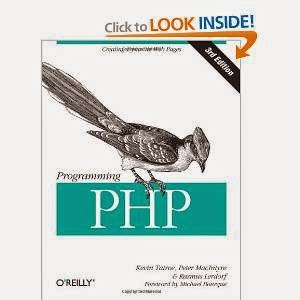
1) Programming PHP – Author Kevin Tatroe


Programming PHP

                Price:- $28.51
                Buy now

2) PHP and MySQL for Beginners – Author Mark A Lassoff


PHP & MySql for beginners

            Price:- $20.19
            Buy now

3) Head First PHP & MySQL – Author Lynn Beighley


                  Price:- $32.49
                  Buy now

4) PHP Programming with MySQL: The Web Technologies Series – Author Don Gosselin


PHP Programming with MySQL The Web Technologies Series Book

                    Price:- $128.42
                    Buy now

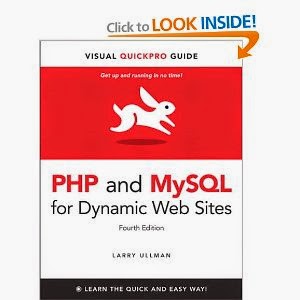
5) PHP and MySQL for Dynamic Web Sites: Visual QuickPro Guide (4th Edition) – Author


PHP and MySQL for Dynamic Web Sites Visual QuickPro Guide

                Price:- $27.33
                Buy now

6) Advanced PHP Programming – Author George Schlossnagle


Advanced PHP Programming Book

                  Price:- $40.21
                  Buy now

Are you looking for your own application for your business then visit here

Want tips and more on PHP then visit here

Some more tutorials and resources then visit here

Buy PHP & MySql Books Online

PHP & MySql

Are you in a search to buy best PHP and MySql books online? Then here are the list of good and best books for PHP and MySql given here to buy for you. There is no age for learning. Learners find its way to learn anywhere they want. We give the best sources to learn from the best authors of PHP Programming and MySql. Tutorials and guides given here for you to buy and learn step by step programing in PHP.

Check out the list of good and best books of PHP Programming and MySql

1) Programming PHP – Author Kevin Tatroe


Programming PHP

                Price:- $28.51
                Buy now

2) PHP and MySQL for Beginners – Author Mark A Lassoff


PHP & MySql for beginners

            Price:- $20.19
            Buy now

3) Head First PHP & MySQL – Author Lynn Beighley


                  Price:- $32.49
                  Buy now

4) PHP Programming with MySQL: The Web Technologies Series – Author Don Gosselin


PHP Programming with MySQL The Web Technologies Series Book

                    Price:- $128.42
                    Buy now

5) PHP and MySQL for Dynamic Web Sites: Visual QuickPro Guide (4th Edition) – Author


PHP and MySQL for Dynamic Web Sites Visual QuickPro Guide

                Price:- $27.33
                Buy now

6) Advanced PHP Programming – Author George Schlossnagle


Advanced PHP Programming Book

                  Price:- $40.21
                  Buy now

Are you looking for your own application for your business then visit here

Want tips and more on PHP then visit here

Some more tutorials and resources then visit here

This entry was posted in :

Saturday, 5 July 2014

PHP
Source: Mashable

PHP Programming has a powerful segment of open source platforms through which web applications are build. World's most popular websites like Facebook and Yahoo have taken a part of PHP to build their API to double its performance. Facebook’s trust on PHP is so great that they’ve gone up to the level of created a tool called HipHop for PHP that converts PHP code into highly optimized C++, resulting in the ability of the Facebook API tier to double its performance while reducing CPU usage. Check out good tips to improve your programming skills.

5 Tips to Improve Your PHP Programming

1) Optimize the Loop:-

There are many ways we can define a loop in PHP. We have “for loop”, “foreach loop” and “while loop”. Using a “for loop” is better than “foreach” and “while” loops if the maximum loop is pre-calculated outside the “for loop”! What does it mean?

#Worst than foreach and while loopfor($m =0; $m < count($array);$m++){ echo 'This is bad practice, as the counting of array size within the loop.';}#Better than foreach and while loop$total = (int)count($array);for($n =0; $n < $total;$n++){ echo 'This is great, as we are counting the array size outside the loop.’;}

Basically is this. The above code snippet shows two different ways of writing a “for loop”. The first way includes the operation count into the loop while the second one pre-calculate the total number of loop outside it. The difference between these two is that the second doesn’t run count operation n times while the first one did. 


2) Drop Those Braces wherever applicable:-

If the condition is constrained to a single line, below code segment is better than the one following it with braces.

<?phpif ($n > 10) $n --;else $n ++;?> <?phpif ($n > 10){$n --;}else{$n ++;}?>


3) Use isset() Instead of strlen():-

This is actually a neat trick. Here is the example to check whether the string has more than 5 characters long:

<?phpif (isset($username[5])) {// The username is at least six characters long.}?>

In PHP strings are treated as arrays, each character in the string is an element within the array. By determining whether a particular element exists, you can determine whether the string is at least that many characters long. (Note that the first character is element 0, so $username[5] is the sixth character in $username.)

The reason this is slightly faster than strlen() is complicated. The simple explanation is that strlen() is a function, and isset() is a language construct. Generally speaking, calling a function is more expensive than using a language construct.


4) Know the Difference Between Comparison Operators:-

Let us take a look at the following practical example that demonstrates when a non-strict comparison can cause problems.

If you use strpos() to determine whether a substring exists within a string (it returns FALSE if the substring is not found), the results can be misleading:

<?php$authors = 'James & Ben';if (strpos($authors, 'James')) echo 'James is an author.';else echo 'James is not an author.';?>

Because the substring James occurs at the very beginning of James & Ben, strpos() correctly returns 0, indicating the first position in the string. Because the conditional statement treats this as a Boolean, it evaluates to FALSE, and the condition fails. In other words, it looks like James is not an author, but he is! This can be corrected with a strict comparison as below:

<?php
$authors = 'James & Ben';
if (strpos($authors, 'James') !== FALSE) echo 'James is an author.';
else echo 'James is not an author.';
?>


5) Absolute Path VS Relative Path:-

Absolute path which is also known as full path will be better compared to a relative path for PHP. Relative path might cause problem for the include and require operation in PHP, whereas absolute path doesn’t. Also using absolute path eliminate the need for the server to resolve the path for you. Simply to say, do you know where the file is located when you just look at a relative path or is it faster if you know the full path?
These tips will surely help you improve your programming skills. Do you want to learn PHP Programming. Click here

Do you want to get your powerful dynamic web application like Facebook and Yahoo, then visit here

5 Tips for Improve Your PHP Programming

PHP
Source: Mashable

PHP Programming has a powerful segment of open source platforms through which web applications are build. World's most popular websites like Facebook and Yahoo have taken a part of PHP to build their API to double its performance. Facebook’s trust on PHP is so great that they’ve gone up to the level of created a tool called HipHop for PHP that converts PHP code into highly optimized C++, resulting in the ability of the Facebook API tier to double its performance while reducing CPU usage. Check out good tips to improve your programming skills.

5 Tips to Improve Your PHP Programming

1) Optimize the Loop:-

There are many ways we can define a loop in PHP. We have “for loop”, “foreach loop” and “while loop”. Using a “for loop” is better than “foreach” and “while” loops if the maximum loop is pre-calculated outside the “for loop”! What does it mean?

#Worst than foreach and while loopfor($m =0; $m < count($array);$m++){ echo 'This is bad practice, as the counting of array size within the loop.';}#Better than foreach and while loop$total = (int)count($array);for($n =0; $n < $total;$n++){ echo 'This is great, as we are counting the array size outside the loop.’;}

Basically is this. The above code snippet shows two different ways of writing a “for loop”. The first way includes the operation count into the loop while the second one pre-calculate the total number of loop outside it. The difference between these two is that the second doesn’t run count operation n times while the first one did. 


2) Drop Those Braces wherever applicable:-

If the condition is constrained to a single line, below code segment is better than the one following it with braces.

<?phpif ($n > 10) $n --;else $n ++;?> <?phpif ($n > 10){$n --;}else{$n ++;}?>


3) Use isset() Instead of strlen():-

This is actually a neat trick. Here is the example to check whether the string has more than 5 characters long:

<?phpif (isset($username[5])) {// The username is at least six characters long.}?>

In PHP strings are treated as arrays, each character in the string is an element within the array. By determining whether a particular element exists, you can determine whether the string is at least that many characters long. (Note that the first character is element 0, so $username[5] is the sixth character in $username.)

The reason this is slightly faster than strlen() is complicated. The simple explanation is that strlen() is a function, and isset() is a language construct. Generally speaking, calling a function is more expensive than using a language construct.


4) Know the Difference Between Comparison Operators:-

Let us take a look at the following practical example that demonstrates when a non-strict comparison can cause problems.

If you use strpos() to determine whether a substring exists within a string (it returns FALSE if the substring is not found), the results can be misleading:

<?php$authors = 'James & Ben';if (strpos($authors, 'James')) echo 'James is an author.';else echo 'James is not an author.';?>

Because the substring James occurs at the very beginning of James & Ben, strpos() correctly returns 0, indicating the first position in the string. Because the conditional statement treats this as a Boolean, it evaluates to FALSE, and the condition fails. In other words, it looks like James is not an author, but he is! This can be corrected with a strict comparison as below:

<?php
$authors = 'James & Ben';
if (strpos($authors, 'James') !== FALSE) echo 'James is an author.';
else echo 'James is not an author.';
?>


5) Absolute Path VS Relative Path:-

Absolute path which is also known as full path will be better compared to a relative path for PHP. Relative path might cause problem for the include and require operation in PHP, whereas absolute path doesn’t. Also using absolute path eliminate the need for the server to resolve the path for you. Simply to say, do you know where the file is located when you just look at a relative path or is it faster if you know the full path?
These tips will surely help you improve your programming skills. Do you want to learn PHP Programming. Click here

Do you want to get your powerful dynamic web application like Facebook and Yahoo, then visit here

This entry was posted in :

Tuesday, 1 July 2014

Learn PHP Programming

There are many resources and guides present in the web for learning anything that you desire. I can give you a huge list of good tutorials and links to learn PHP Programming. But learning something needs strong desire to stick to it till you finish learning it well to say it to the world that I learned. PHP is an open source language and its almost easy to learn and go on with PHP Programming.


Learn PHP

Learn PHP in four simple steps. Follow these below process with the links.

1) PHP Buit-in Library Functions Reference:- In this link you will find references on all important built-in PHP library functions.


2) PHP Useful resources:- A collection of PHP Programming sites and books given in this link


3) MySQL tutorial:- Learn MySQL in simple and easy steps from the scratch to end given in this link


4) PHP Tutorial in PDF format:- At the end in this link you can download a complete PHP tutorial.


Hope this link would help you in learning PHP Programming. And if you looking to Hire a Best PHP Programmer then follow here – http://www.hirephpprogrammers.com

What are the best resources to learn PHP Programming?

Learn PHP Programming

There are many resources and guides present in the web for learning anything that you desire. I can give you a huge list of good tutorials and links to learn PHP Programming. But learning something needs strong desire to stick to it till you finish learning it well to say it to the world that I learned. PHP is an open source language and its almost easy to learn and go on with PHP Programming.


Learn PHP

Learn PHP in four simple steps. Follow these below process with the links.

1) PHP Buit-in Library Functions Reference:- In this link you will find references on all important built-in PHP library functions.


2) PHP Useful resources:- A collection of PHP Programming sites and books given in this link


3) MySQL tutorial:- Learn MySQL in simple and easy steps from the scratch to end given in this link


4) PHP Tutorial in PDF format:- At the end in this link you can download a complete PHP tutorial.


Hope this link would help you in learning PHP Programming. And if you looking to Hire a Best PHP Programmer then follow here – http://www.hirephpprogrammers.com

This entry was posted in :